





Retrofitting Peplink 5G: Why modern 5G modems need four antenna paths
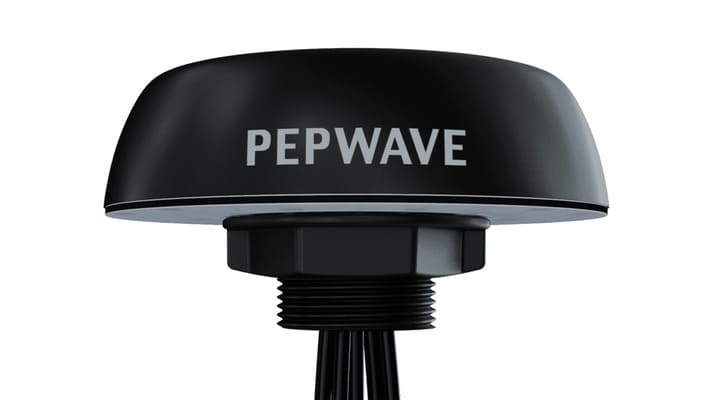
A proven setup in many businesses: a Peplink B One combines the fixed line with a cellular router as a second WAN. When moving from LTE to 5G, a surprise often follows – the existing 2×2 MIMO antenna with its two connectors no longer matches the new 5G device, because modern 5G modems require four antenna paths. Read on for why that is, which Peplink options exist, and what to watch out for when planning.
Why four antenna paths? A look at the 3GPP standard
The most important 5G capacity band in Germany is n78 (3.3–3.8 GHz) – this is where the network operators deliver the high data rates that make the move to 5G worthwhile. For exactly this band, the mobile standard prescribes a minimum configuration: 3GPP specification TS 38.306 requires devices operating in bands n77/n78/n79 (and several others) to have at least four receive antennas.
Behind this is 4×4 MIMO: four spatially separated antenna paths carry multiple data streams in parallel. Compared to 2×2 MIMO this not only doubles the achievable downlink throughput, it also improves connection stability – with only two antennas connected, throughput roughly halves and the connection becomes far more sensitive to shadowing of individual antenna elements. The four-antenna requirement is not a vendor quirk – it is mandated by the standard.
The generational change in Peplink's 5G modems
All Peplink 5G devices have four antenna connectors (A/B/C/D). Whether operation with only two connected antennas is possible depends on the modem generation:
- Older generation (“5GH”, Qualcomm X55): These devices offered an official “2× Antenna Mode” from firmware 8.3.0 (connectors A and D). The trade-off was significant: LTE falls back from Cat 20 to Cat 16, some bands are dropped, and on n78 in particular Peplink documents noticeably reduced connection stability. This product generation is now discontinued and no longer regularly available.
- Current generation (“5GN”, Qualcomm X62): Here Peplink is unambiguous: all four antenna paths must be connected. There is no 2-antenna mode any more; connecting only two ports disables band n78 entirely – precisely the band you retrofit 5G for.
- Newest generation (“5GK”, Qualcomm X65): There are no official statements on 2-antenna operation. For planning purposes the rule therefore is: budget for four antenna paths.
The practical consequence: an existing 2×2 antenna can no longer be used on its own with current Peplink 5G hardware. You need four paths – either via one 4×4 antenna or via two identical 2×2 antennas, since Peplink recommends antennas of the same type and performance on all four connectors.
Your options on the Peplink B One
The Peplink B One offers two Gigabit WAN ports, Wi-Fi WAN and a USB-C WAN port – it has no cellular modem of its own. For 5G as a second WAN there are three available routes:
1. The 5G Adapter as an external modem: The Peplink 5G Adapter (ADP-5GZ-T-PRM) connects to a B One WAN port via 2.5 Gigabit Ethernet. Important for planning: it is powered via 802.3at PoE or its own power supply – the B One does not provide PoE, so a PoE injector belongs on the parts list. For the four antenna paths, a compact 4×4 omni antenna such as the Poynting XPOL-1-5G (A-XPOL-0001-V2-41) is a good fit: a single antenna with four SMA connectors, 617–3800 MHz (n78 included), mountable on window, wall or pole.
2. Everything in one device – the B One 5G: The Peplink B One 5G integrates the 5G modem directly into the router and comes with two SIM slots. If you are considering a refresh anyway, it replaces both the router and the separate cellular router in one step – again with four antenna connectors for full 5G operation.
3. A standalone 5G router as a feeder: For more demanding installations the Peplink MAX BR1 Pro 5G delivers the newest 5G modem generation (“5GK”); more compact and more affordable, the Peplink MAX BR1 Mini 5G takes the same role – it is also the device Peplink positions as the successor to the discontinued MAX Adapter 5G. Both feed the B One via Ethernet as a second WAN.
Planning checklist
- Antenna paths: Plan for four paths – one 4×4 antenna or two identical 2×2 antennas. A single 2×2 antenna is no longer sufficient on current 5G hardware.
- Frequency bands: For the Deutsche Telekom network, LTE B1/B3/B7/B8/B20/B28/B32 and 5G n1/n3/n28/n78 should be covered – by the device (mind the regional SKU variant) as well as by the antenna.
- Power: Ethernet-based adapters need PoE or their own power supply; put it on the parts list.
- Firmware: Keep the B One up to date – USB WAN requires at least firmware 8.1.1, IP passthrough is available from firmware 8.5.0.
- Compare signal readings: Measure RSRP, RSRQ and SINR before and after the change – that cleanly documents the gain from 5G and the new antenna configuration.
Conclusion
The four-antenna requirement of modern 5G modems is anchored in the standard and cannot be configured away – planning for it early in an LTE-to-5G migration avoids wrong purchases and re-orders. All devices and antennas presented here are available from us. Not sure which variant suits your site and reception conditions? Our team is happy to advise you on selection, band coverage and antenna planning.
Products mentioned in this article
Ready for your next project?
Talk to our team about your requirements.
Related posts

Making Connectivity Simple: A look behind the scenes at ASCEND
Johannes Fickeis from ASCEND demonstrating a new network solution in the company’s own studio. The ASCEND Studio in action: ready for the next innovative product presentation. 🌟 At ASCEND, we not only value **hig…
ASCEND GmbH now offers fixed IP addresses on mobile data SIM cards
Nuremberg, August 08, 2024 – ASCEND GmbH is expanding its product portfolio and is now offering SIM cards with fixed IP addresses. This new solution enables companies to make their network infrastructure even more…

The new features and benefits of RutOS 7.07: Optimization of network services with Teltonika
The world of networking technology is constantly evolving, and it is crucial to stay up-to-date to ensure optimal performance and security. Teltonika, a leading provider of networking equipment, has recently released …