





Internet at Sea
Internet on a sailboat: LTE and 5G from the masthead
Two nautical miles (NM) off the coast, the connection drops because the router sits deep in the hull? For coastal sailors on the Baltic Sea and North Sea, there's a simple and affordable solution: a weatherproof mobile network unit at the top of the mast, with a single network cable running down. No coax loss, no Starlink required. Ascend supplies the hardware pre-configured, plus the matching multi-network SIM.
Request a consultationThe Principle at a Glance
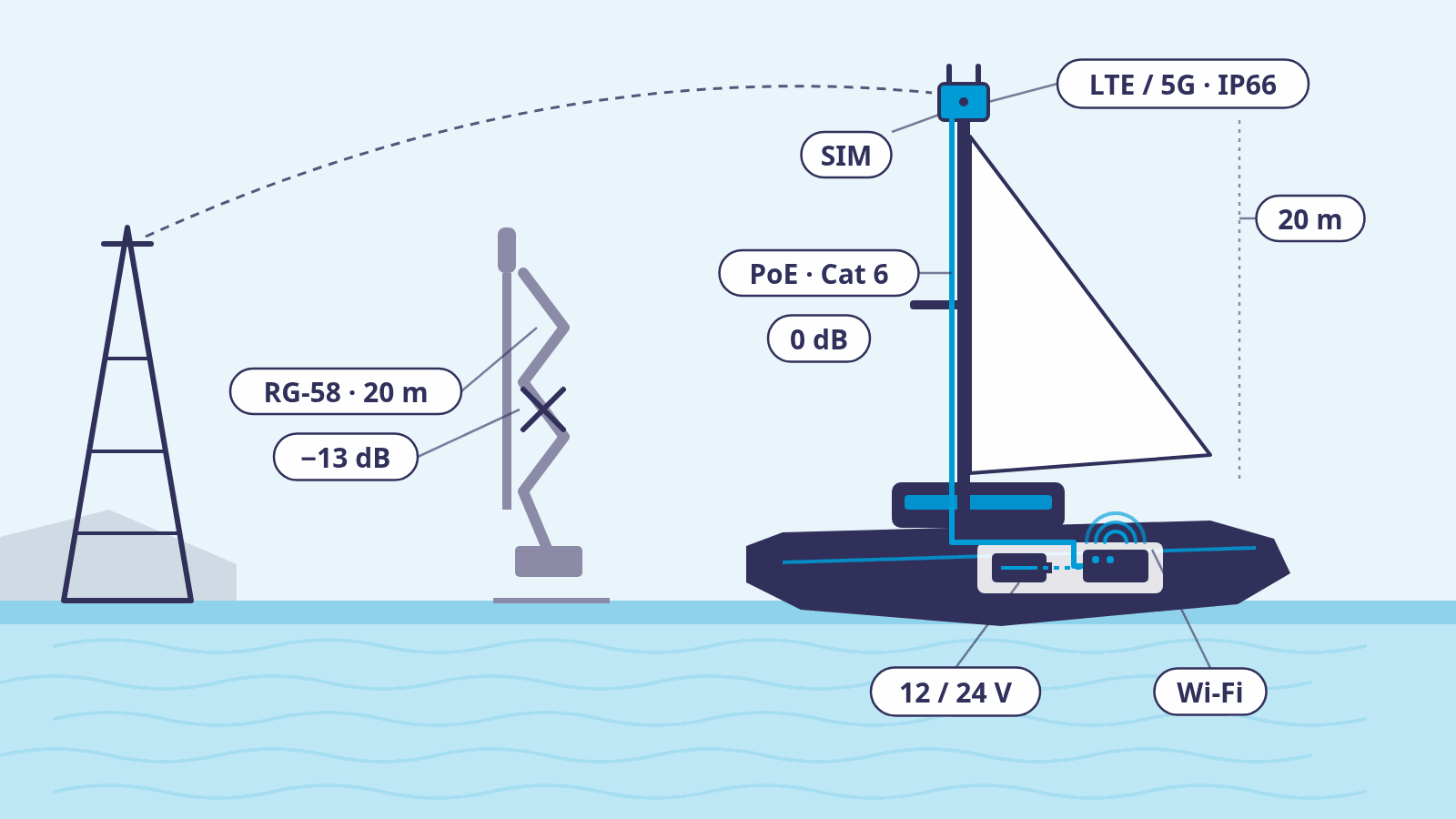
On the left the coast with the transmission mast, in the middle the old solution with a passive antenna and 20 metres of coax cable, on the right the correct one: the mobile network unit sits at the top of the mast, with a single network cable carrying power and data down. Below deck, only an access point and the 12- or 24-volt onboard electrical system remain.
Why Two Nautical Miles Isn't Enough, and Where Range Comes From
An LTE router with a SIM card in the cockpit locker or under the nav station stands no chance against the hull, deck, tanks and engine block. Whatever signal gets through is enough in the harbour and one to two NM off the coast. Then it's over, even though the mast reaches 20 metres into the sky.
Range at sea comes from three factors: the height of your own antenna, the height of the transmission mast on land, and the frequency band. The low bands around 700 and 800 MHz (LTE Band 28 and Band 20) carry the furthest; network operators use them to light up the area. On board, you can only influence one of these factors: the height and clear line of sight of your own antenna.
The biggest jump here isn't the mast, but the step out of the hull into the open. Height then supplies the margin for wave troughs, heeling, and for cells that were planned for coverage on land. Whether a cell still reaches you out at the horizon is for the network operator to decide, not the formula.
Antenna Height and Radio Horizon
| Radio horizon to a 40 m coastal mast | Typical mounting location | |
|---|---|---|
| Antenna height 3 m | approx. 18 NM | Deck, stern rail, equipment carrier |
| Antenna height 14 m | approx. 22 NM | Upper spreader |
| Antenna height 20 m | approx. 24 NM | Masthead |
The Antenna Has to Go Up. The Coax Cable Doesn't.
The table's values follow the approximation 4.12 × (√h1 + √h2) kilometres for the standard atmosphere. They show that 10 to 15 NM isn't a horizon problem, it's an installation problem.
The obvious idea is a marine antenna with a few dBi of gain at the masthead and a coax cable running down to the router. On a motorhome that works, because the cable is two metres long. On a sailboat it's 20 metres, and coax attenuates with every metre. Thin RG-58 eats up around 13 dB at 800 MHz, more than any antenna brings in gain; the result is worse than having no mast antenna at all. Thick LMR-400 still loses about 2.6 dB at 800 MHz, and a good 5 dB at 5G around 3.5 GHz, and for MIMO with two antenna paths you need two of these finger-thick cables inside the mast. Add connectors at 0.3 to 0.5 dB each, plus cable that ages in salt air. The table below lists typical datasheet values per cable run.
The solution reverses the arrangement: the modem sits in a weatherproof housing directly at the antennas, at the top of the mast. A single network cable runs down, carrying data and power at once (PoE, Power over Ethernet). Ethernet loses nothing up to 100 metres, and a Cat 6 cable weighs and costs a fraction of two coax runs. What has no business at the masthead are directional antennas made for rooftops: a boat is constantly changing course, so it stays with omnidirectional antennas.
What 20 Metres of Cable Cost
| 800 MHz (LTE Band 20) | 2.6 GHz (LTE Band 7) | 3.5 GHz (5G n78) | |
|---|---|---|---|
| RG-58 coax, approx. 5 mm thick | approx. 13 dB loss | approx. 23 dB loss | approx. 28 dB loss |
| LMR-400 / H1000 coax, approx. 10 mm thick | approx. 2.6 dB loss | approx. 4.6 dB loss | approx. 5.4 dB loss |
| Ethernet Cat 6 with PoE, modem at the top of the mast | 0 dB | 0 dB | 0 dB |
The Right Architecture: an Active Outdoor Unit at the Mast
Six qualities a mobile network unit for a sailboat's mast has to bring. The Ubiquiti UMR-Industrial meets all of them, which is why it's our recommendation for coastal sailors.
One Cable Instead of Two
Omnidirectional, Turns With the Boat
IP66 Against Driving Rain and Salt
12 or 24 Volts From the Onboard System
Low Bands for the Horizon
One SIM, Three Networks
Ubiquiti UMR-Industrial: Key Specifications for the Mast
| Mobile network | LTE Cat 4, up to 150 Mbit/s download and 50 Mbit/s upload (manufacturer specification). |
|---|---|
| LTE bands (EU variant) | B1, B3, B7, B8, B20, B28. |
| SIM | Nano-SIM (4FF), one slot. |
| Antennas | 2 × LTE (SMA, external), 1 × GPS (SMA), 2 × Wi-Fi (RP-SMA), all included. |
| Ingress protection and temperature | IP66 with outdoor cover; operates from -40 to 70 °C. |
| Power supply | PoE+ (48–54 V), 4-pin DC 9–30 V or USB-C 5 V; maximum 12.5 W. |
| Ports | 2 × Gigabit Ethernet (RJ45), including 1 × PoE input and 1 × PoE output (max. 10 W). |
| Weight and wind load | 360 g, 395 g with cover; wind load of 38.8 N at 200 km/h. |
| Mounting | Mast (25–50 mm), wall and DIN rail, mounts included. |
| Operation | Router or IP passthrough; WAN via mobile network, Ethernet or Wi-Fi with priority and fallback; VPN with WireGuard, IPsec and OpenVPN; managed via UniFi. |
| Certification | CE, GCF, Wi-Fi Alliance. |
Matching Hardware in the Ascend Shop
Everything for mobile network, satellite and Wi-Fi on board, from the mast unit to the access point. All products available (as of 18 September 2026).
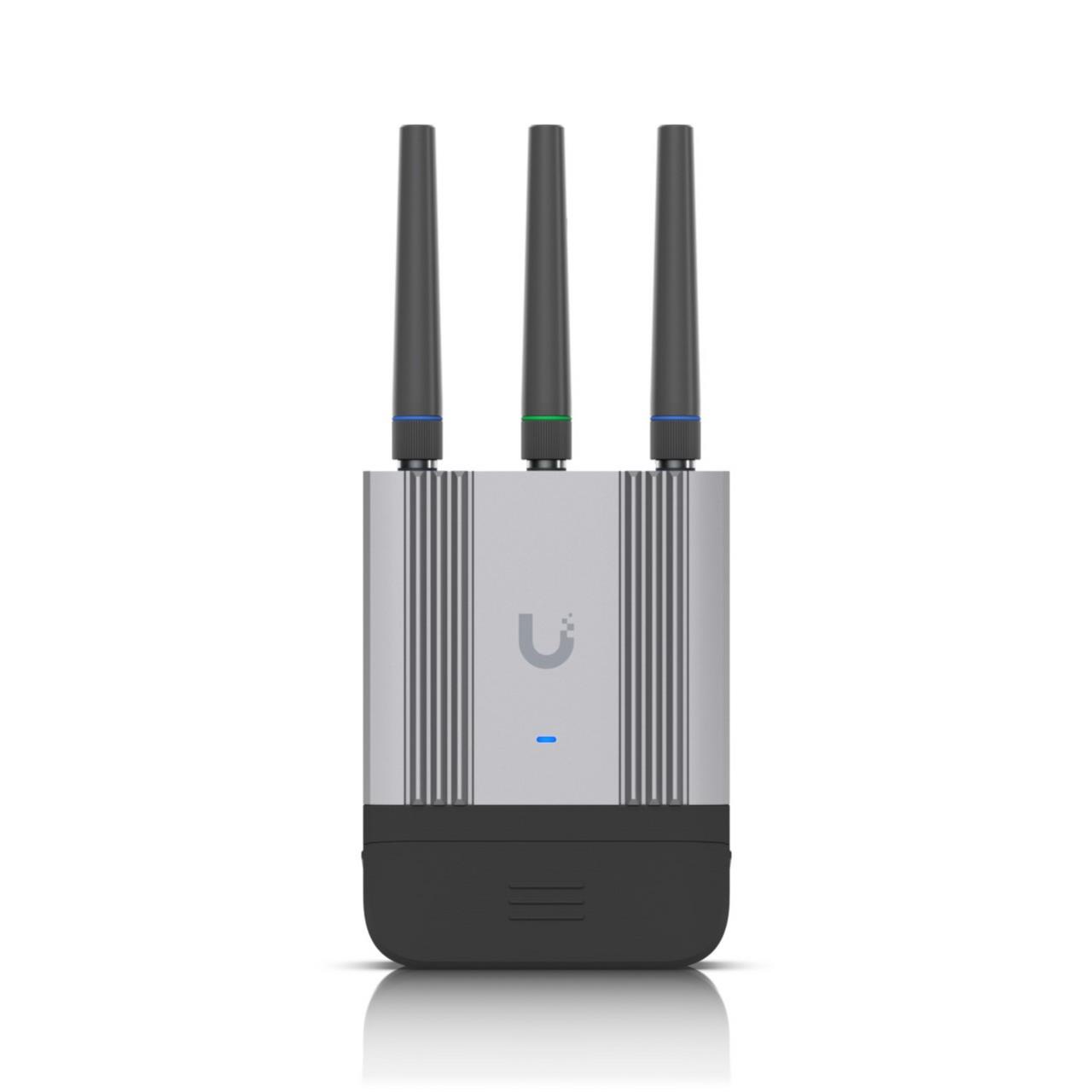
Ubiquiti UMR-Industrial
LTE outdoor unit for the mast: omnidirectional, IP66, 12/24 V direct, GPS. Our recommendation for 10 to 15 NM.
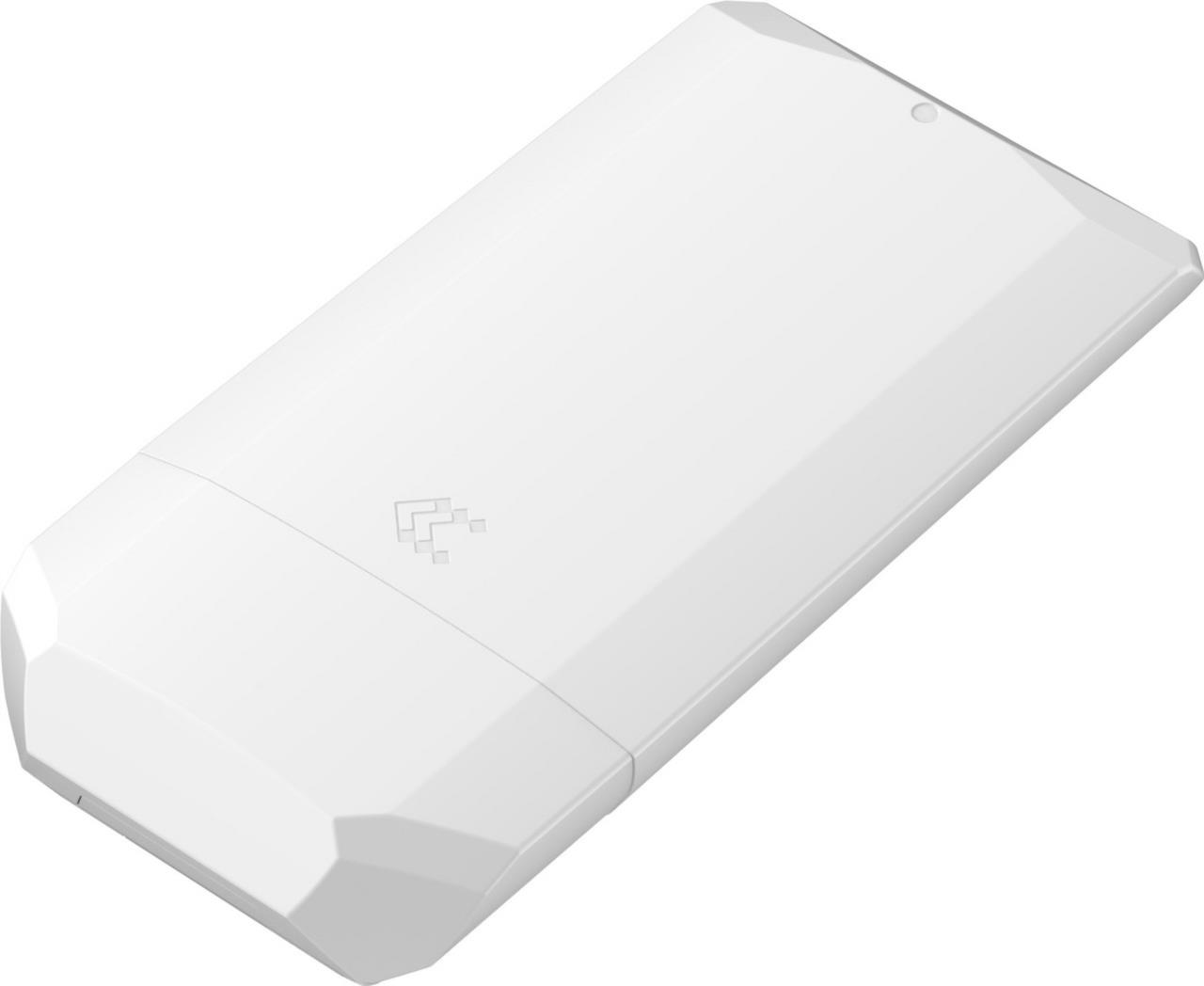
Teltonika OTD140
LTE Cat 4 with two SIM slots and PoE. IP55 only: mount it in a protected spot, not at the very top of the mast.
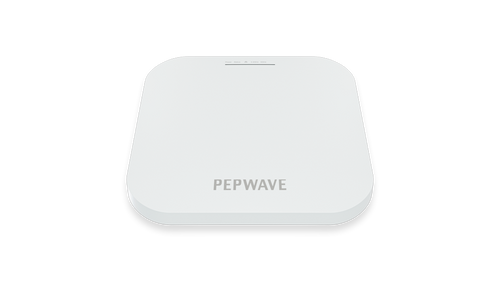
Peplink AP One AX
Wi-Fi 6 access point below deck, provides Wi-Fi for the saloon and cockpit.
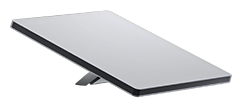
Starlink Mini Kit
A satellite add-on for further out: IP67, 1.1 kg, 12 to 48 V DC, pole adapter included. Ocean Mode required beyond 12 NM.
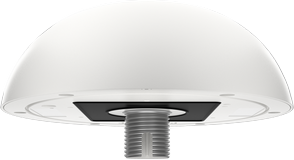
Peplink MAX HD1 Dome Pro
5G outdoor unit with IP67 and SpeedFusion, the offshore step up. Details on the yacht page.
Teltonika OTD140: Cheaper, but Only for Protected Mounting
The OTD140 is a solid LTE Cat 4 router with two SIM slots, PoE input and output, and an operating range of -40 to 75 °C. Its IP55 rating means protected against dust and water jets from any direction, not against sustained driving rain and salt water at the top of the mast. We therefore only offer it for protected positions, such as under the stern equipment carrier or in the cockpit behind the sprayhood. For the masthead, it stays the UMR-Industrial.
Mast Kit: What the Owner Checks Before Installation
- 1Choose the Mounting LocationMasthead or upper spreader. The spreader costs about two NM of horizon, but gains distance from the VHF antenna and a SIM that stays reachable without climbing the mast.
- 2Distance to VHF and AISAt least one metre from the VHF and AIS antenna. A 25-watt marine radio can block an LTE receiver in the immediate vicinity.
- 3Plan for One CableOutdoor Cat 6, shielded and UV-resistant, with weatherproof RJ45 boots. Cable route inside the mast, with a cable gland at the mast foot.
- 4Power From the Onboard System12 or 24 volts direct (the UMR-Industrial takes 9 to 30 V DC), or a PoE injector with a DC input. Nobody needs 230 volts on board for this.
- 5Lightning and SurgesThe top of the mast is the strike point. Surge protection with PoE pass-through ahead of the onboard electronics, and grounding to the manufacturer's specification, protect the equipment below deck. No device survives a direct strike.
- 6Insert the SIM Before InstallationThe SIM sits up in the unit. With a multi-network SIM, there's no need to swap cards at the mast.
- 7Mount and Wind LoadA clamp matched to the mast profile, with vibration and wind load taken into account. The UMR-Industrial weighs 395 g with cover and is rated for 200 km/h wind.
- 8Wi-Fi Below DeckThe existing router can keep running as an access point if it has an Ethernet port. Otherwise, a Peplink AP One AX takes over the saloon and cockpit.
One SIM for Three Networks: Why the Card Can Stay Up There
Because the SIM sits up in the outdoor unit, it should never need to be swapped. That's why we recommend the Ascend data plan as a multi-network SIM: in Germany, one SIM automatically registers with Vodafone, O2 or Telekom (multi-IMSI), either by best network or with a fixed network choice. The plan applies EU-wide at the same price, is prepaid and stops at €0. Usage is updated every 30 minutes. The SIM is available as a triple-cut SIM or eSIM, cancellable monthly, with an internet gateway in Frankfurt and a German IP address.
For coastal sailors, that means: one SIM for the Baltic Sea, the North Sea and neighbouring waters within the EU, with no contract commitment and no manual network switching. We supply the SIM together with the mast unit, pre-configured and ready to use, with APN and network selection set up. You'll find more on matching hardware on our routers for SIM cards page; just ask us for the SIM at the same time: request a SIM card.
Starlink Mini as an Add-On: Does It Fit on the Mast?
Yes, technically it works. At 1.1 kilograms and 298 × 259 × 38 millimetres, the Starlink Mini is the smallest Starlink antenna, IP67-rated, cleared for wind above 96 km/h and built for -30 to +50 degrees. A pole adapter is included with the kit, and the electronics run directly on 12 to 48 volts DC with an average of 25 to 40 watts. Its 110-degree field of view tolerates a sailboat's heel, and nothing blocks its view at the masthead: no mainsail, no mast, no bimini. That's exactly why a Starlink mounted on deck or on the stern rail so often drops out on sailboats.
The limitations: two cables run down, the DC power supply and the network cable. The Mini's Ethernet port needs the Starlink cable with its own connector; with a normal RJ45 cable it's no longer IP67. The supplied 15-metre power cable doesn't reach the top of a 20-metre mast, and 25 to 40 watts of continuous load is a real issue for the battery bank on a sailboat without the engine running. The antenna swings the most up there, and its built-in Wi-Fi goes unused in that position. At sea, Starlink's own rules also apply: up to 12 NM a Roam plan is enough, beyond that Starlink requires Ocean Mode with usage-based billing.
Our assessment: for coastal sailors, the mobile network unit at the mast remains the first step, because it gets by with one cable, needs hardly any power, and uses our SIM without extra rules. Anyone who still wants Starlink is best off mounting the Mini where sail and mast don't shadow its field of view, so at the masthead or the upper spreader, and planning the cable route and power budget with the rigger. How Starlink and mobile networks can be bundled into one connection is covered on our Internet on a Yacht page; we've summarised the rules for Starlink at sea under Starlink.
When It's Worth Stepping Up to the Yacht Solution
Anyone who regularly sails further than 15 to 20 NM out, stays overnight at sea, or needs video conferencing on board, runs into the limits of the networks with an LTE unit, not the limits of the technology. That's when the combination of Starlink and 5G pays off: the Peplink MAX HD1 Dome Pro is a 5G outdoor unit with IP67, built on the same principle described here, but it bundles several connections via SpeedFusion and switches to Starlink once you're beyond the coast.
How that works together, what rules Starlink sets for use at sea, and what hardware belongs with it, is covered on our Internet on a Yacht page. We've described the basics of Starlink and bundling Starlink with Peplink separately.
Frequently Asked Questions About Internet on a Sailboat
Further Reading
Ready for Reception All the Way to the Horizon?
Tell us your boat type, mast height and cruising area. We'll put together the mast unit, SIM and access point, and deliver it all pre-configured. Installation at the mast is handled by your rigger or boatyard.
We look forward to hearing from you!
Tell us your boat type, mast height and cruising area. We'll get back to you shortly with a personal recommendation.
You might also be interested in
- Discover the world of mobile routers - LTE and 5G routers with SIM card support
- Future-proof Internet for solar parks - maximum efficiency thanks to state-of-the-art technologies
- High-availability Internet connections with Starlink
- Immediate help for companies in the coronavirus crisis - Ascend networks locations quickly and easily via high-performance, temporary Internet connections (VPN)