









Failover and line bonding
Prevent Business Internet Outages: Stay Online When the Line Fails
The card terminal stops accepting payments, the phone system goes silent, the video call freezes: a business internet outage costs money every minute. Ascend combines your main line with mobile or Starlink in a Peplink or Teltonika multi-WAN router. If one line fails, the second takes over, and on request without dropping a single running session. Planning, hardware, SIM, installation and 24×7 support from one source, from Nuremberg since 2010.
Plan your resilienceThe principle at a glance
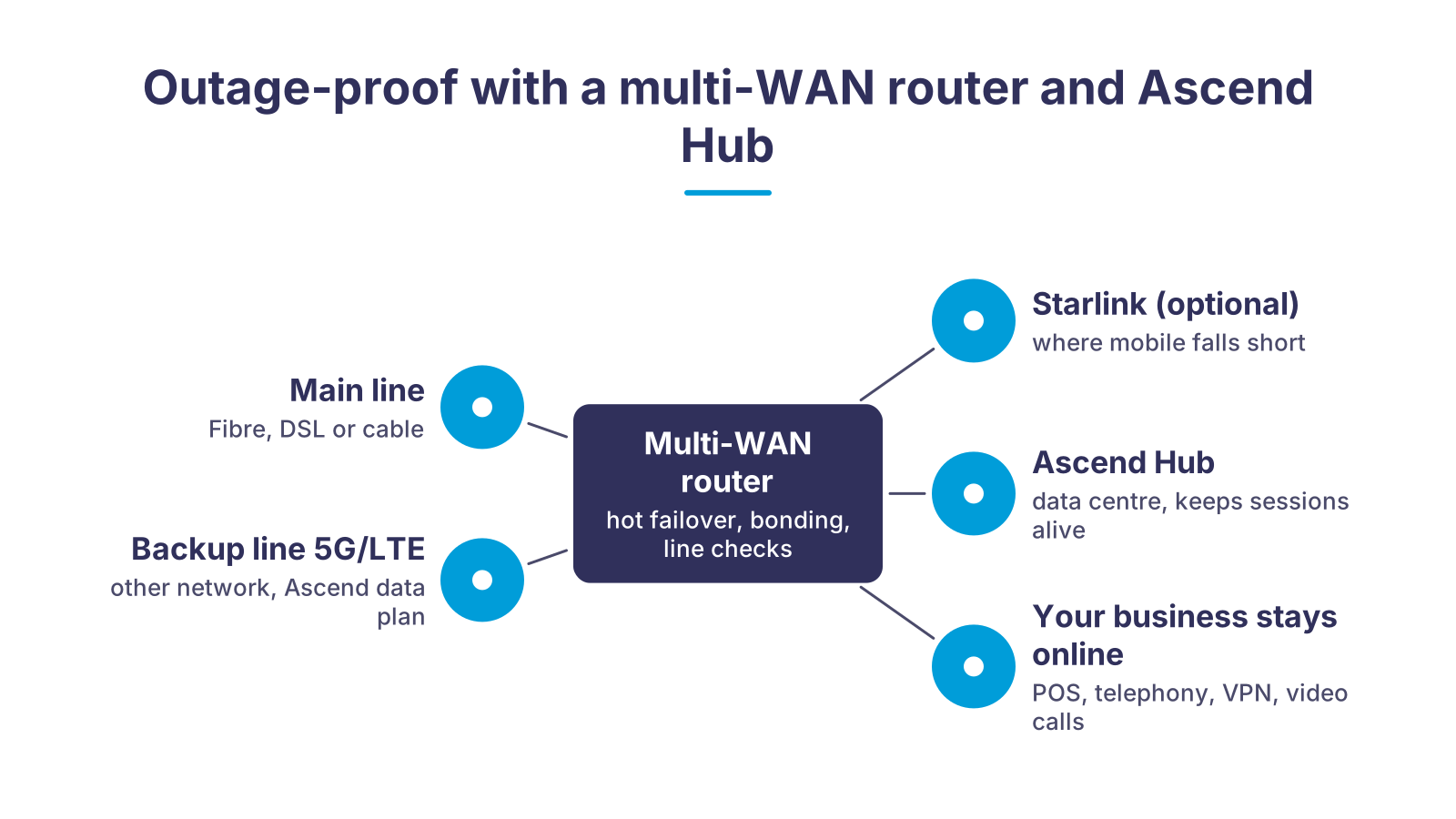
At the centre is a multi-WAN router with your main line and at least one second, independent path attached: mobile from a different network and, where needed, Starlink. The router continuously checks that each line really carries data and switches over when a fault occurs. With SpeedFusion, traffic additionally runs through a counterpart in the Ascend data center, the Ascend Hub. It keeps calls, VPN tunnels and video conferences open while the router changes lines. Your staff will not notice the internet outage.
What an internet outage costs, and what we do about it
An outage rarely hits just web browsing. It hits the processes that run over the line. Five typical consequences, five answers.
POS and card payments stop
Phone system without a line
Video conference freezes
VPN to headquarters is gone
Too much technology for the team
Hot failover, cold failover or bonding: which level do you need?
| Cold failover | Hot failover | Bonding (SpeedFusion) | |
|---|---|---|---|
| What happens in an outage | The router only activates the second line once the main line is demonstrably dead. | The second line is already connected and takes over immediately. | Both lines carry traffic at the same time; an outage removes only part of the capacity. |
| Running sessions (VoIP, VPN, video call) | Drop and are set up again. | Stay up through the Ascend Hub. | Stay up, plus WAN smoothing against packet loss. |
| Bandwidth in normal operation | Main line only. | Main line only, second line on standby. | Sum of both lines for the bonded traffic. |
| What you need | Router with two WAN paths, a second line or SIM. | Plus a SpeedFusion licence and a counterpart, with us the Ascend Hub. | As for hot failover, plus a suitably sized router. |
| Typical use | Office, email and web, where a short interruption is acceptable. | POS, phone system, medical practice, branch, production. | Sites with heavy video traffic or a weak single line. |
Resilient in four steps
- 1Line analysisWe look at your main line, the provider and the applications that really hurt in an outage: POS, telephony, VPN, video conferencing.
- 2Second line and planWe choose an independent path: mobile from a different network with the Ascend data plan, and Starlink where coverage is poor.
- 3Router and installationPeplink or Teltonika routers arrive pre-configured; our technicians mount the antenna and router and set up SpeedFusion to the Ascend Hub.
- 4Monitoring and 24×7 supportOur support is reachable 24×7. On request we monitor your connection around the clock, see the main line fail and get in touch while your business keeps working over the second line.
Why one line is never enough, even fibre
A business internet outage rarely has a spectacular cause. A digger hits the cable by the road, the provider has a network fault, the modem gives up after years, a planned maintenance runs longer than announced. None of these causes depends on how fast or expensive your connection is. A fibre connection also runs in the same duct as your neighbours' lines and through the same central office.
That is why a second line only helps if it takes a different path. A second DSL line from the same provider shares cable, equipment and faults with the first. Mobile reaches the building over the air and through a different network, Starlink via satellite. This independence is what turns two connections into a resilient one.
The multi-WAN router checks each line not just for link, but for real reachability on the internet. Only when a check fails does it move traffic to the other path. Once the main line is back, it switches back automatically so the second line is free again.
The second line: mobile from a different network, Starlink where there is no signal
For most sites, 5G or LTE is the simplest second line. An outdoor antenna on the building gives stable reception even where a smartphone in the office shows a single bar. What matters is the network: we recommend the Ascend data plan as a multi-network SIM. In Germany it registers automatically with Vodafone, O2 or Telekom, either on best network or with a fixed network choice, so the backup SIM does not sit on the same network as your fixed-line provider. The plan is prepaid, stops at 0 euros, can be cancelled monthly, applies at the same price across the EU and has its internet breakout in Frankfurt with a German IP address.
Where no mobile network is reliable, for example in an industrial estate on the edge of town or a hall with a metal roof, we use Starlink as a second or third path. The router treats the satellite link like any other WAN line and bonds it with mobile and fixed line.
Both paths come together on the router. Peplink routers such as the B One 5G or the Balance 20X include the mobile modem and also offer Gigabit WAN ports for the fixed line. Teltonika routers such as the RUTX50 work with two SIM cards and switch to the second SIM automatically on a network fault. For hot failover and bonding, the Peplink router connects via SpeedFusion to the Ascend Hub in our data center, which holds the sessions.
Who benefits from failover

Retail and hospitality. The card terminal, the till and the inventory system all depend on the line. If it fails, only cash is left. With hot failover the terminal keeps booking, and the delivery note goes out.
Medical practices, pharmacies and law firms. The electronic patient record, prescriptions and appointment booking run online. A practice without internet sends patients home. A second line over mobile costs a fraction of that.
Branches and sites. If you connect several sites to headquarters by VPN, every site needs a second path. The bonded tunnel to the Ascend Hub keeps the site network up even when a digger arrives at one branch.
Production and logistics. Machine data, warehouse scanners and links to freight portals tolerate no pause. Bonding is worthwhile here, so that even in normal operation there is enough bandwidth for remote maintenance and cloud applications.
Home office and remote sites. A compact router with an LTE modem secures the home workplace or the construction-site office and keeps the VPN access to the company open.
What Ascend takes care of
Since 2010 Ascend has planned and operated resilient connectivity for businesses, from the single practice to the branch chain, based in Nuremberg with assignments across Germany. We are a partner of Peplink and Teltonika and supply the routers from our own shop, pre-configured with your lines, the Ascend SIM and the SpeedFusion profile to the Ascend Hub.
On site our technicians mount the outdoor antenna, router and, if needed, the Starlink antenna, check reception and test the failover case with you: we pull the main line, and you see that POS, phone and video call keep running.
After that comes the part most providers leave out: 24×7 support and, on request, round-the-clock monitoring of your connection. If the main line fails, we see it in monitoring and get in touch while your business runs over the second line. You get a connection that works, and a contact who is reachable around the clock when it does not.
An LTE stick in the drawer is not failover
A USB stick on the boss's laptop saves one workstation, not the business. POS, phone system, printers and servers sit on the company network and need the switch in the router, for all devices at once and without anyone plugging anything in. Two rules that have proven themselves: the second line always takes a different path from the main line, so mobile or satellite instead of another DSL. And the failover case is tested during installation, not at the first real outage.
Matching hardware in the Ascend Shop
Multi-WAN routers from Peplink and Teltonika that bring fixed line and mobile together. On request we deliver them pre-configured with the Ascend SIM and SpeedFusion profile.
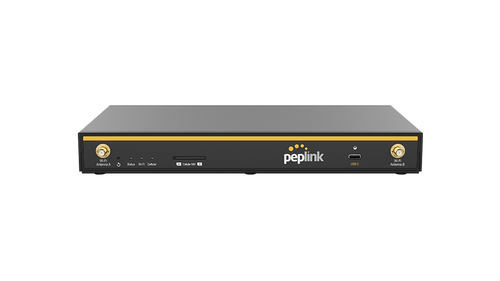
Peplink B One 5G
5G modem with two SIM slots and eSIM, two Gigabit WAN ports for fibre or cable, Wi-Fi 6, SpeedFusion with hot failover, smoothing and bonding, for up to 150 users.
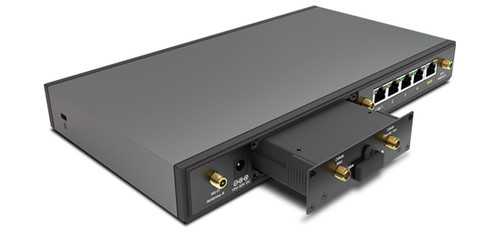
Peplink Balance 20X
Entry level for small offices: Gigabit WAN plus integrated LTE modem (Cat 4), SpeedFusion with hot failover, WAN smoothing and bonding, recommended for 1 to 60 users.
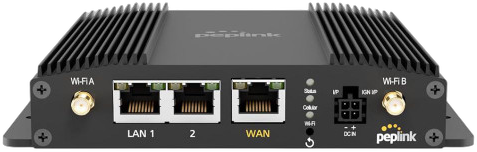
Peplink MAX BR1 Pro 5G
5G modem with redundant SIM slots, 2.5 Gigabit WAN port for the fixed line, Wi-Fi 6, operation from -40 to 65 °C, also for vehicles and remote sites.
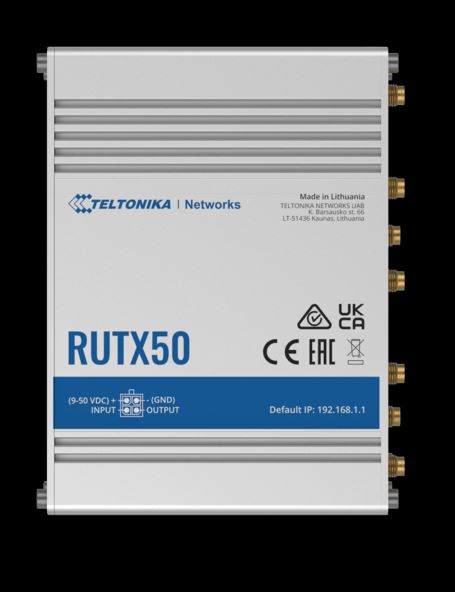
Teltonika RUTX50
5G industrial router with dual SIM and automatic failover between the SIM cards, Gigabit WAN port for the fixed line, four LAN ports, aluminium housing for -40 to 75 °C.
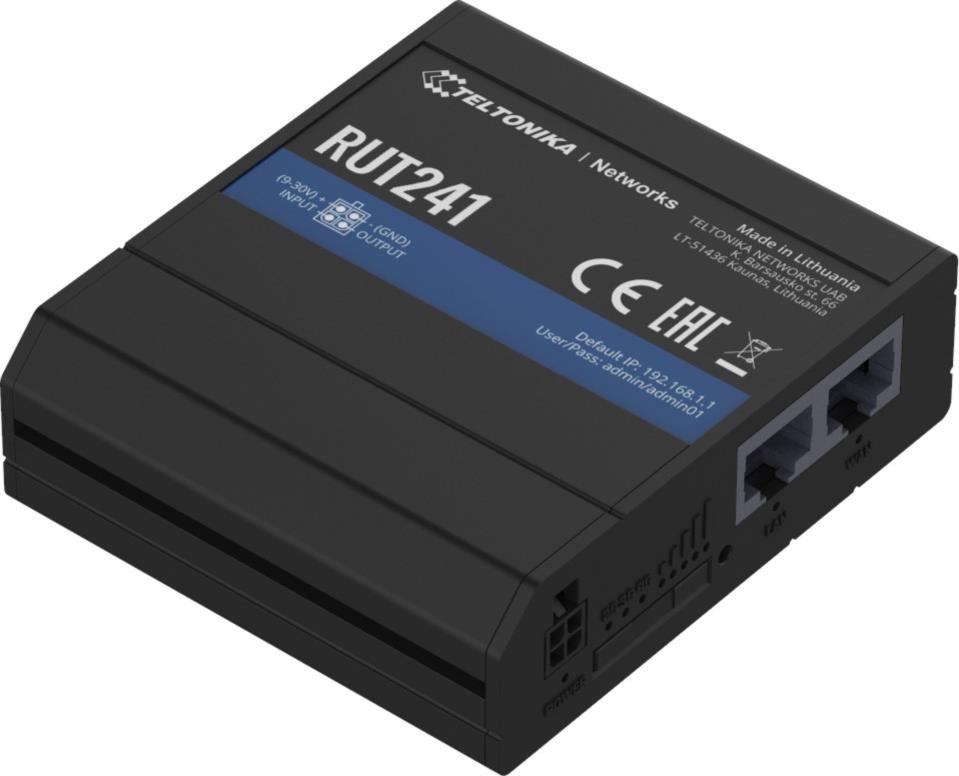
Teltonika RUT241
Compact LTE router (Cat 4) with automatic WAN failover, two Ethernet ports, eSIM with up to seven profiles: the cold failover package for home office, remote site and construction-site office.
Frequently asked questions about business internet outages
Further links
- Multi-WAN bonding for business connectivity
- Teltonika bonding: reliable, highly available connectivity
- Starlink as a second line for businesses
- SD-WAN for businesses
- Video conferencing for businesses
- Multi-WAN bonding explained briefly
- Peplink routers in the Ascend Shop
- Teltonika routers in the Ascend Shop
Ready for a connection that holds?
Tell us which line you have today, how many workstations depend on it and what stood still during the last outage. We will get back to you with a recommendation for second line, router and failover level.
We look forward to hearing from you!
Tell us your location, current line and the applications that stop during an internet outage. We will get back to you shortly with a personal consultation.