









Practice security
IT Security for Medical Practices: Protected in Line with the KBV Guideline
Ascend secures practice PCs, servers and network, aligned with the KBV guideline.
The principle at a glance
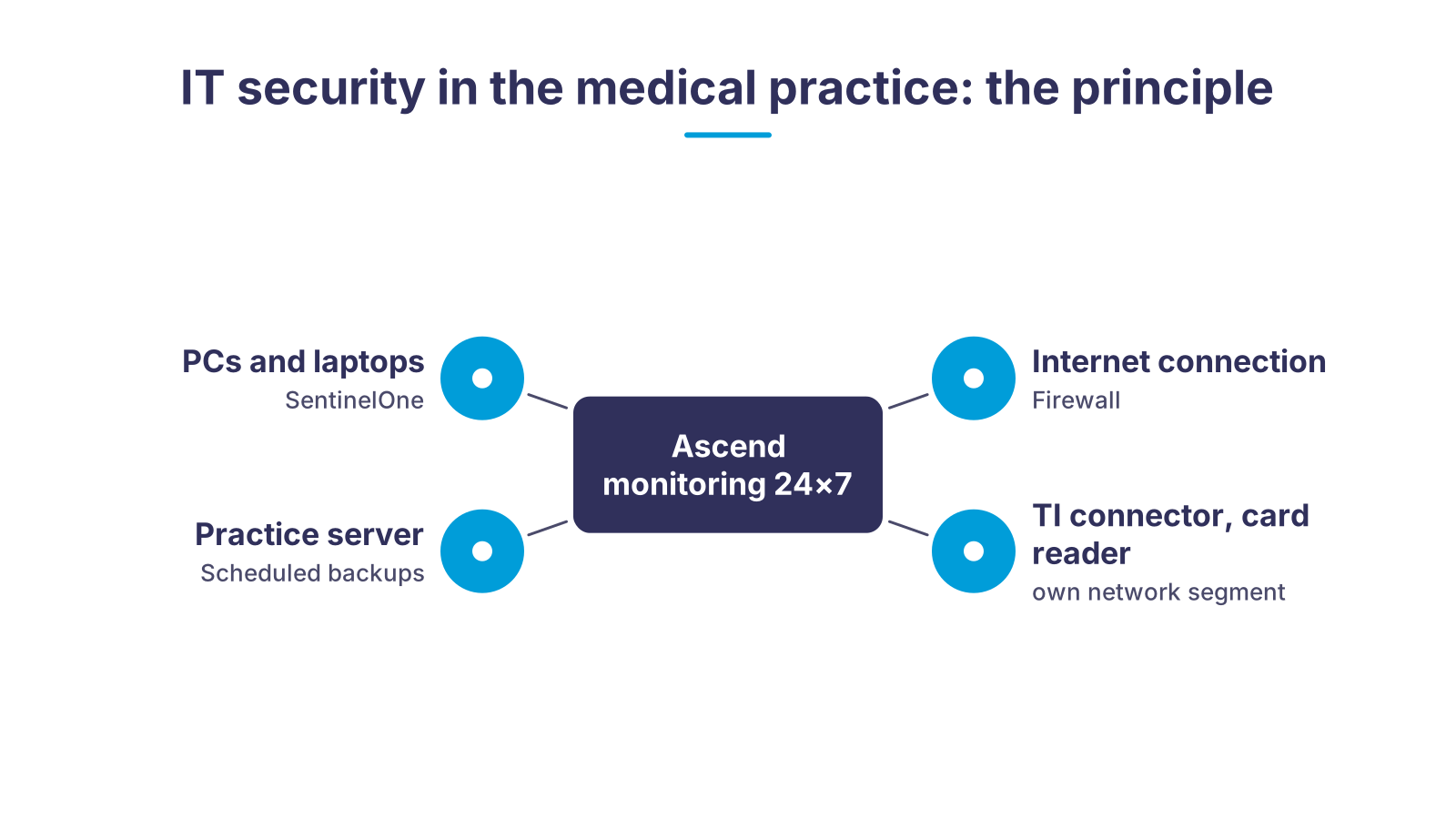
Every practice PC and laptop runs the SentinelOne agent, which stops attacks on its own. The server backs up patient data regularly according to a fixed plan, the firewall separates the practice network from the internet, and the TI connector and card reader run in a segment of their own. At the centre sits Ascend monitoring, which watches all components around the clock and in most cases alerts us before you notice anything. The framework is the KBV IT security guideline under § 390 SGB V: every measure can be mapped to one of its requirements.
Five risks we take out of everyday practice life
A practice has no IT department, yet faces the same attackers as a large corporation. We solve these five problems with one fixed concept.
Ransomware encrypts the practice
Patient data leaves the practice
Compliance with the KBV guideline cannot be demonstrated
Office hours without computers
Nobody looks after the technology
From practice check to protected operation
- 1Practice check against the KBV guidelineWe record PCs, servers, network, TI components and mobile devices, assign your practice to the right size class and compare the current state with the annexes of the guideline.
- 2Action plan with prioritiesYou receive a list of open requirements, sorted by risk and effort, with a quote for hardware, licences and setup.
- 3Setup and briefingOur technicians install SentinelOne on all end devices, set up the firewall, network separation and data backup, and on request brief your team on the safe use of practice IT.
- 4Operation with monitoring and supportFrom day one we monitor endpoint protection, data backup and network, install updates and respond to alerts, reachable 24×7 when something fails.
- 5Follow-up check on requestThe guideline is updated and your practice changes. On request we review your concept again when the guideline or your equipment changes.
Which requirements apply to your practice
| Practice size under the guideline | Relevant annex | What Ascend implements | |
|---|---|---|---|
| Small practice | Up to five people permanently engaged in data processing. | Annex 1: basic requirements for all practices, such as up-to-date virus protection, regular data backup according to a plan, updates and staff briefing. | SentinelOne on all PCs, data backup according to plan, firewall, automatic updates, team briefing on request. |
| Medium-sized practice | Six to twenty people permanently engaged in data processing. | Annex 1 plus Annex 2 with additional requirements for medium-sized practices. | In addition network segmentation, central management of end devices, logging via monitoring. |
| Large practice, large MVZ, large laboratory | More than twenty people or data processing on a hospital-like scale. | Annexes 1 to 3 with further additional requirements. | Extended firewall architecture and network segmentation; we define the exact scope in the practice check. |
| Additionally for everyone | Large medical devices and TI components such as the connector and card reader. | Annex 4 (large devices) and Annex 5 (decentralised components of the telematics infrastructure). | Separate network segment for large devices and TI components, medical network isolators for devices in the patient environment. |
Why medical practices are in the crosshairs and what the KBV requires
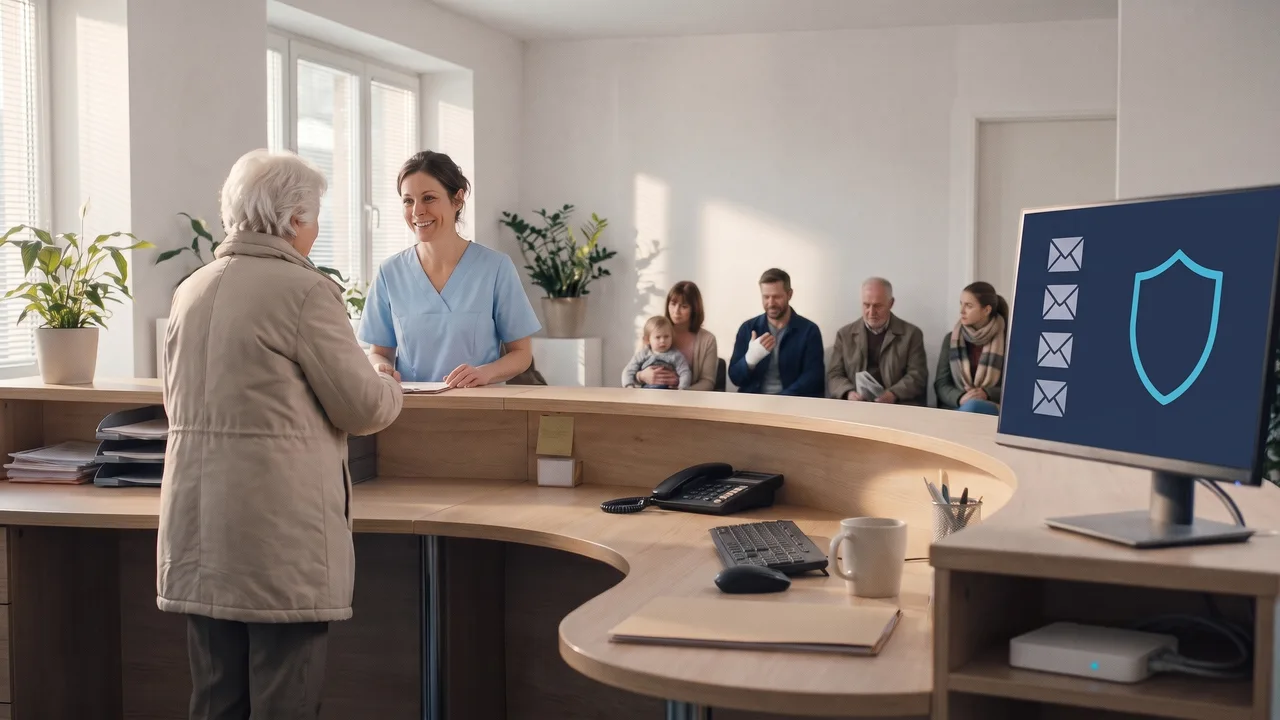
Picture a small family practice on a Monday morning. The waiting room is full, the phone at reception is ringing, and between two check-ins the receptionist opens the practice's email inbox.
A medical practice processes findings, diagnoses, billing data and insured persons' master data. For attackers that is a doubly rewarding target: the data can be sold, and a practice whose practice management system is encrypted cannot treat patients and is under pressure to pay a ransom.
An email that does not look right
In the practice from our example, the receptionist notices an email that somehow does not look right. She raises an eyebrow and wants to take a closer look. In the bustle of a Monday morning, a click happens quickly.
Add phishing emails with forged lab results, outdated software on devices nobody ever updates, and a Wi-Fi network that keeps the waiting room and the practice server on the same network.

What the KBV guideline requires
The legislator has responded. Under § 390 SGB V, the National Association of Statutory Health Insurance Physicians (KBV) is required to draw up a guideline ensuring IT security in contracted outpatient care, in agreement with the Federal Office for Information Security (BSI). The current version has applied since 1 April 2025. It describes a basic infrastructure for data security: up-to-date virus protection, firewall, updates and patches, regular data backup according to a fixed plan, and briefing and training of practice staff.
The specific requirements are set out in five annexes and depend on practice size and equipment. The more digitally a practice works, the more it has to implement. What matters is not the number of physicians but how many people are permanently engaged in data processing. This classification is exactly the first step of our practice check, because it determines which annexes apply to you.
SentinelOne: how endpoint protection works on your practice PCs
A classic virus scanner compares files with known signatures. Against a new ransomware variant or a zero-day exploit that does not help, because the signature does not exist yet. SentinelOne works differently: the agent on every PC observes the behaviour of programs and processes using artificial intelligence and machine learning. If a process begins to encrypt files en masse or spread across the network, it is stopped without anyone having to intervene.
For a practice the rollback function matters most: files an attack has already changed are reset to their state before the attack. Practice operations continue instead of waiting for a restore. Every incident is logged, so we can trace the route the attack took and which gap needs closing.
Ascend manages all agents centrally. In one console we see whether every practice PC is protected, which version is running and whether a device has dropped out of protection, such as a laptop that has not been in the practice for weeks. That way the guideline's requirement for up-to-date virus protection is not only met but can be demonstrated at any time. You can read more about the technology on our page Antivirus with SentinelOne.
What Ascend takes on for your practice
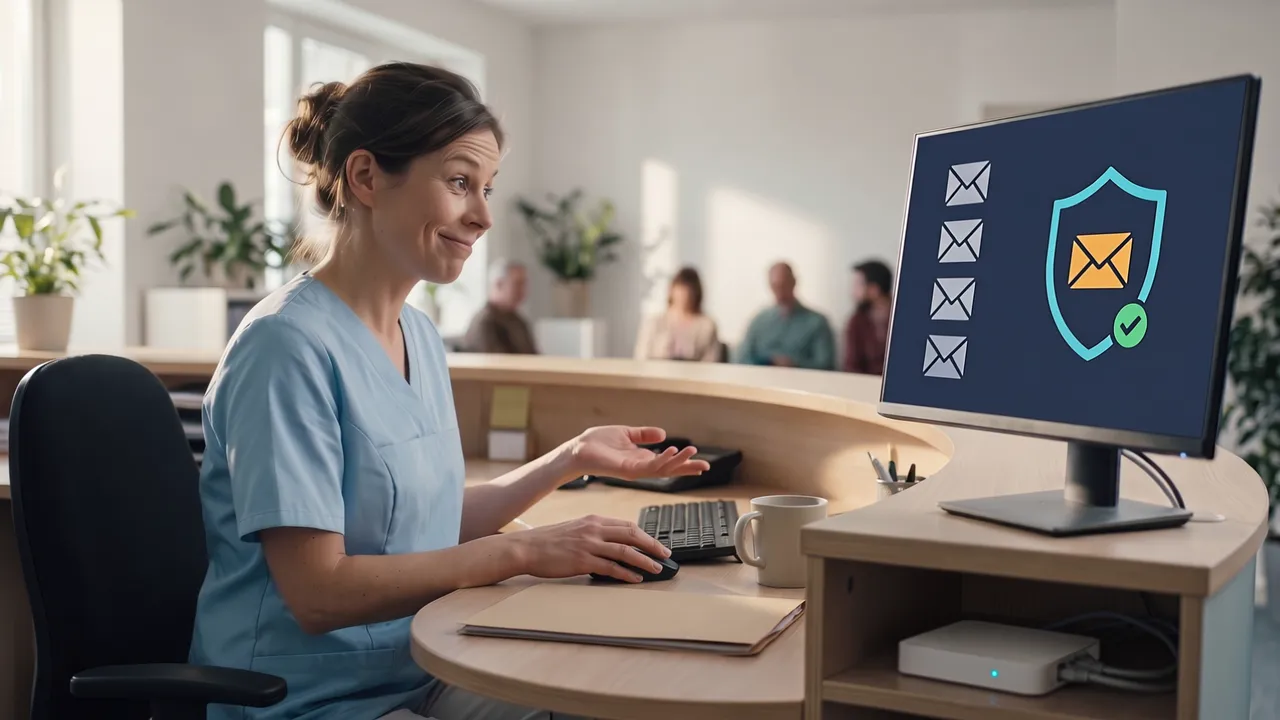
In the practice from our example, the email security that we set up on request is running as well. It has classified the suspicious email as phishing and set it aside before the receptionist opens it. Under the reception desk, the status light of the firewall keeps glowing calmly. She did not have to call anyone for that.
Ascend has been an IT systems house in Nuremberg since 2010 and supports practices and mid-sized companies with dedicated contacts. For the IT security of your medical practice we take over the complete operation:
- Endpoint protection: SentinelOne on all PCs, servers and laptops, centrally managed, with alerts to our team.
- Firewall and network separation: A gateway with a firewall at the internet connection and, depending on the practice, separate network segments for practice management, TI components, medical devices and patient Wi-Fi.
- Data backup: Regular backups according to a plan that defines which data is backed up how often, and restoration in an emergency.
- Updates and maintenance: Automatic updates and regular maintenance for operating systems and network devices.
- Monitoring: Our monitoring watches your systems around the clock and in most cases alerts us before a problem reaches practice operations.
- 24×7 support: We are reachable around the clock when something fails.
- Email security: On request we filter phishing and malicious attachments before they reach the mailbox, see email security.
Which of these building blocks your practice needs, we define together in the practice check, matched to the annexes of the guideline that apply to your practice size.
Do not forget the TI connector and card reader
The decentralised components of the telematics infrastructure, i.e. the connector and card terminals, expressly fall within the scope of the guideline according to the KBV (Annex 5). In many practices they sit on the same network as the waiting-room Wi-Fi and the printer. We place them in a segment of their own and allow only the necessary connections. For devices in the patient environment we use medical network isolators that galvanically separate network and device.
Suitable hardware in the Ascend Shop
Building blocks we use in practices. We set up SentinelOne licences and data backup as part of the support service; ask for them via the form.
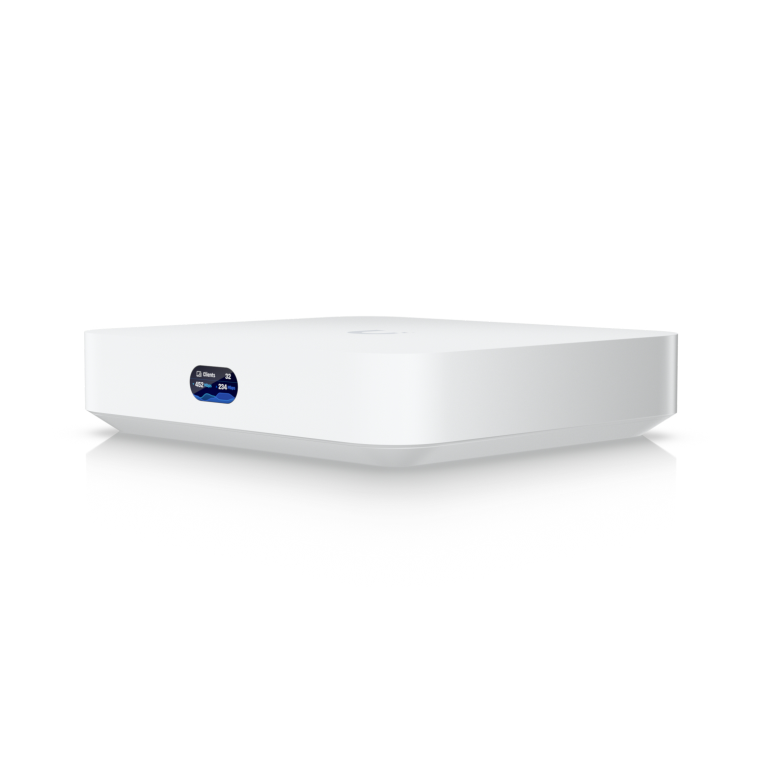
Ubiquiti UniFi Cloud Gateway Max
Gateway with firewall and network segmentation for practices with several rooms; manages switches and access points centrally.
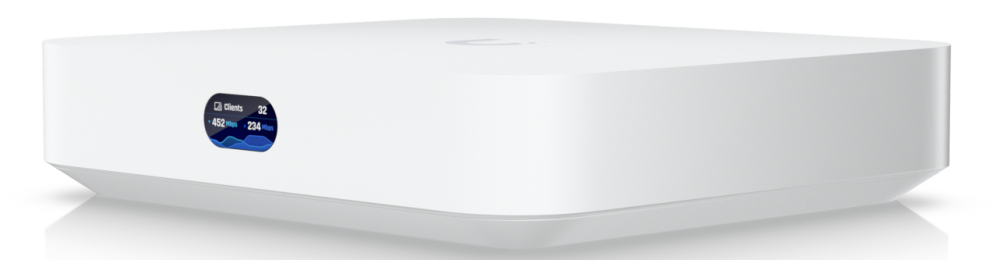
Ubiquiti UniFi Cloud Gateway Ultra
Compact gateway with firewall and VLAN separation for small single-site practices.
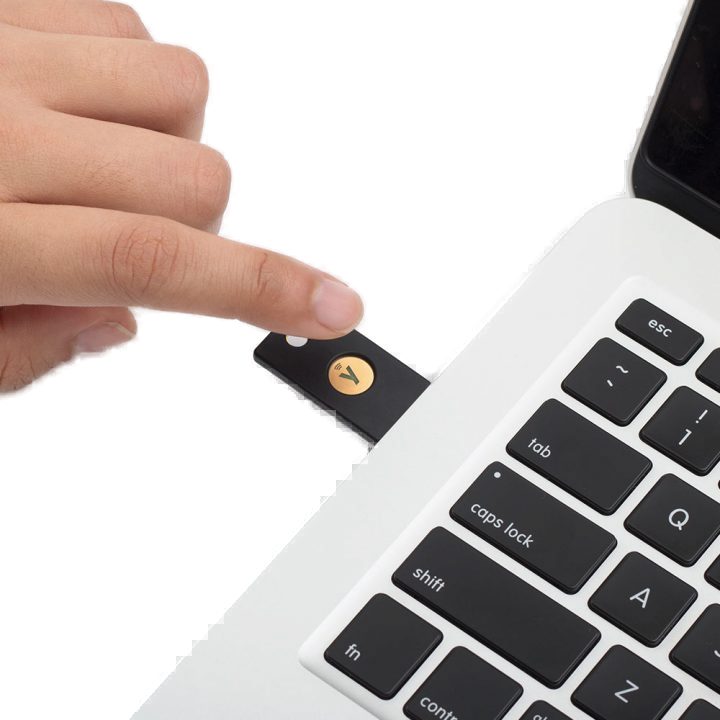
Yubico YubiKey 5 NFC
Hardware key for two-factor sign-in to Microsoft accounts, practice email and remote access, battery-free, via USB or NFC.
- Baaske Isolator Netzwerk MI 1005 MED
Baaske Isolator Netzwerk MI 1005 MED
Medical network isolator that galvanically separates network and device in the patient environment.
Frequently asked questions about IT security in the medical practice
Further links
Next, please
And the practice from our example? The receptionist shrugs, smiles and calls in the next patient: a craftsman holding up his thickly bandaged thumb. Nobody in the waiting room noticed anything of the email that was set aside, and that is exactly how it should be.
The family practice is only an example. The principle behind it is the same in every practice, from the small practice to the large MVZ: protection on every PC, a firewall at the internet connection and a team that monitors the systems. Which building blocks your practice needs, we clarify in the practice check.

Ready for a practice that lives up to the KBV guideline?
Tell us how many workstations your practice has and whether you use a connector, a server or laptops. We will get back to you with an appointment for the practice check.
We look forward to hearing from you!
Tell us your type of practice, the number of workstations and your current protection. We will get back to you shortly with a personal consultation.