


Bonding fibre, Starlink and 5G: three paths for a live studio
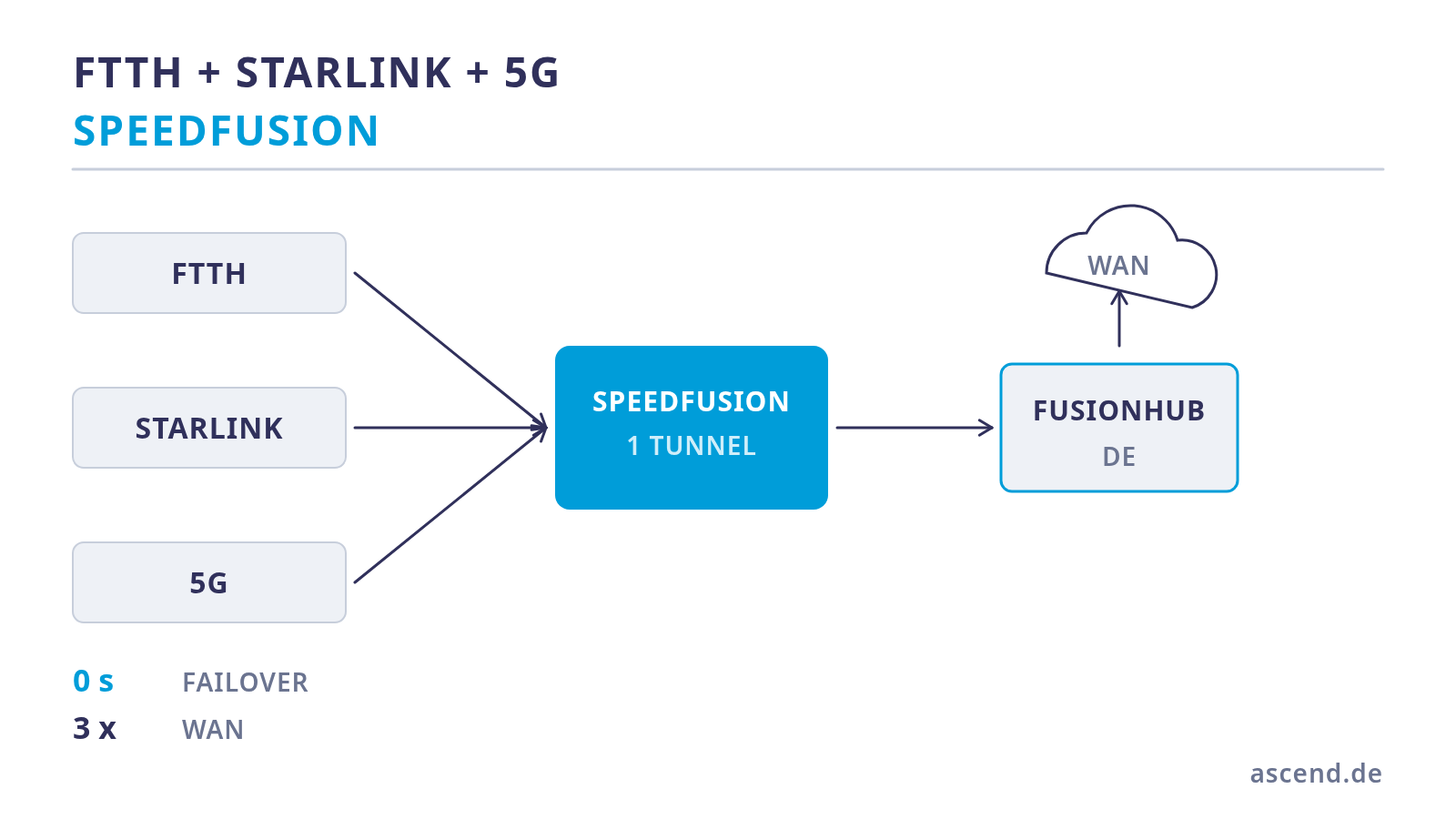
Three lines, three completely different fault patterns
Two connections from the same provider over the same duct are not redundancy, they are double the cost. Several paths only start to make sense once they fail independently of one another — and that means: different technology, different infrastructure, different causes of failure.
Fibre is the best path in normal operation: low, very consistent latency, bandwidth that can be used symmetrically. Its typical fault case is mechanical and lasts a long time — a damaged duct is not a matter of minutes but of days. On top of that comes the special case every new building knows: the connection has been ordered and is not there yet.
Satellite brings a completely different catalogue of faults: shading by trees or buildings, satellite handovers minutes apart, attenuation in heavy rain, plus the load on the ground station. These are short, recurring disturbances instead of rare long outages — exactly the pattern that packet redundancy works against. And satellite has a physically higher base latency than fibre on your doorstep.
Mobile, finally, degrades when the cell is loaded — at an event, at the end of the working day, when the neighbouring cell fails. In exchange it is available immediately, independent of any duct, and only needs reception.
The combination is strong because these three fault patterns barely overlap. An excavator does not hit a satellite link. A thunderstorm front does not take fibre down. An overloaded radio cell is a matter of indifference to both.
Why redundancy only really works inside the tunnel
A multi-WAN router without a tunnel can do two things: distribute sessions across lines and, if one fails, establish new sessions over the remaining line. For websites and e-mail that is perfectly sufficient.
For a running transmission it is not sufficient, and the reason is unspectacular: an existing connection is tied to the public address of the line over which it was established. If that line disappears, the session is dead — the software has to reconnect. In the middle of a seminar that means: every participant sees the drop.
A SpeedFusion tunnel reverses this relationship. The application only sees the address of the tunnel; which physical line is currently carrying the packets is hidden from it. Only then do the interesting operating modes become possible:
- Hot Failover keeps the tunnel ready on all lines and changes over on failure without losing the session.
- WAN Smoothing sends the same packets in parallel over several lines; the remote end takes the first copy. A failure therefore creates no gap at all, and the effective latency is that of the fastest path.
- Bandwidth Bonding adds the capacities together for large transfers.
For a studio that means, concretely: the broadcast position belongs in a sub-tunnel with smoothing, the rest of the building's traffic does not. How to build that separation and what the overhead costs is set out in our article on Hot Failover and WAN Smoothing.
The first hard limit: how many WAN ports there really are
This is where plans regularly fail, because the port count in the datasheets is read differently from how it is meant. Three paths need three WAN inputs — and the compact Peplink models have two wired ones:
- B One: 2× Gigabit WAN, 4× Gigabit LAN, plus a USB-C port that can be used as WAN. No mobile modem.
- B One 5G: the same basis plus an integrated 5G modem with two SIM slots. That puts three independent paths in the device, without additional hardware.
- Balance 310: 2× 2.5 Gbit WAN, 4× 10 Gbit LAN, 4 Gbit/s of routing, 1 Gbit/s of SpeedFusion throughput, 1U rack mounting. No modem, no USB WAN.
There is a third path on all PrimeCare models: Virtual WAN. It lets a LAN port be operated as an additional WAN input via VLAN; one licence is included with an active PrimeCare, further ones can be purchased. The catch is in the same footnote: if PrimeCare expires, this port disappears again. Anyone who builds a permanently needed third line on it couples their network architecture to a subscription.
From this follows an unromantic recommendation. If 5G is part of the concept from the start, a device with a built-in modem is the cleaner solution than an external mobile router on a Virtual WAN port: one device instead of two, one power supply instead of two, no antenna cables running across the cabinet, one configuration interface. Anyone who does need 2.5 Gbit WAN, 10 Gbit LAN and genuine rack mounting takes the larger class and plans the third path deliberately.
| Property | Fibre | Satellite (LEO) | 5G | |
|---|---|---|---|---|
| Base latency | very low, very stable | higher, fluctuating | low to medium, load-dependent | |
| Typical disturbance | duct damage, long outages | shading, satellite handovers, rain | cell load, reception conditions | |
| Duration of the disturbance | hours to days | seconds, recurring | minutes to hours | |
| Dependency | groundworks and provider | clear view of the sky | radio cell and network load | |
| Power consumption | modem, a few watts | high, see the UPS section | low | |
| Role in the bond | primary path | independent second path | immediately available third path |
Integrating Starlink correctly as a WAN
Satellite behind a multi-WAN router is straightforward if you observe four points.
The router leads, not the terminal. The satellite router supplied has to be operated in such a way that it does not create the network itself but passes the connection through to the Peplink. Which operating mode and which accessories are needed for that depends on the device generation delivered — you clarify that before ordering and not on installation day.
Address translation in the provider network is not critical. In their standard configuration, satellite connections do not provide a reachable public address. For an outbound SpeedFusion tunnel that is a matter of indifference: the connection is established from the inside out, no port forwarding is needed. That is exactly why the counterpart sits in the data centre and not in your own basement.
The MTU is the classic stumbling block. A tunnel plus a satellite hop together produce more protocol overhead than a default setting allows for. If the MTU of the affected WAN connection is not adjusted, this shows up as sporadic stalling on larger transfers while small packets run without complaint — a fault pattern that, in our experience, is looked for in the wrong corner for a long time.
Latency differences are a feature, not a problem. The satellite path has a higher base latency than the fibre. With WAN Smoothing the copy that arrives first always wins, so the effective latency is that of the fast path. The slower path does not degrade the connection — it keeps it up when the fast one fails.
Power and UPS: the item that is missing most often
A network cabinet with three internet paths has a different power consumption from one with a single modem — and the distribution is surprising.
The largest consumer is the satellite terminal. For the current fixed version the manufacturer states an average of 75 to 100 watts; at idle it is considerably less, in rain or with active de-icing considerably more. It therefore dominates everything else in the cabinet. A switch with four PoE access points draws around 100 to 130 watts depending on the model and load, a compact router at 15 to 30 watts, a fibre modem at about 10 watts.
In total, such a cabinet ends up at around 200 to 270 watts. For the choice of UPS that means:
- An online UPS with double conversion has no changeover time and continuously delivers a freshly generated sine wave. For an operation in which a mains disturbance costs you a running transmission, that is the right level of effort.
- The power class should have reserve, because the actual peak of the satellite terminal is above the average.
And the point that is almost always missing from network quotations: a UPS in the network cabinet does not save a transmission if the broadcast position fails. Computers, screens and, if in doubt, the lighting belong on the protection as well, otherwise you protect the data path and lose the source. Anyone who is serious about it also keeps a second machine ready that can step in as a co-host.
The order in practice: two paths now, the third later
The most common reason for postponing a project is the fibre connection that has not been activated yet. That is unnecessary, because the order can be reversed.
A sensible route in three steps:
- In operation immediately with the existing connection plus an independent second path. The tunnel runs, smoothing runs, the protection is in place from day one.
- When the fibre is switched over, the new line takes the place of the old one on the first WAN port. That is a change of profile, not a rebuild: tunnel, traffic rules, VLANs and access points stay unchanged.
- The third path, once demand and network coverage have been checked. On a device with a built-in modem that is a SIM card, otherwise an additional WAN input.
Two things should be clarified before the purchase rather than after it. First, the network coverage at the specific site — which mobile provider is actually viable at the installation point is not decided on a coverage map but in the room where the device will later stand. Second, the counterpart of the tunnel: without a remote end there is no smoothing, and the choice between the hosted service and your own FusionHub determines the running costs more strongly than the choice of router.
Frequently asked questions
Have three paths planned
We dimension the lines, check the network coverage at the site, configure the tunnel before shipping and include power consumption and UPS in the calculation.
Routers for three independent paths
What matters is how the third path gets into the device — an integrated modem or an additional WAN input. Availability and prices are shown on the product detail page.
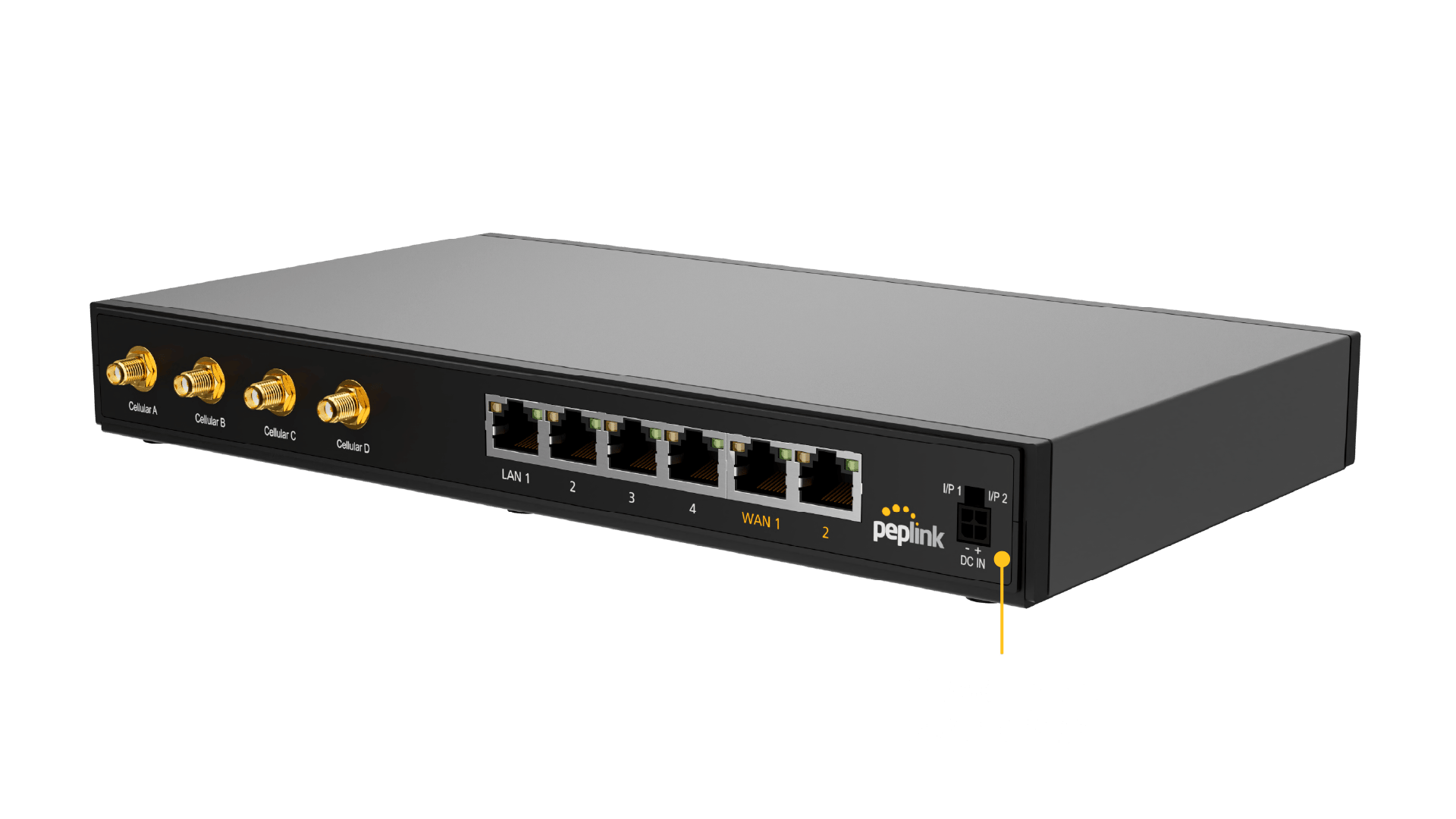
Peplink B One 5G
Two Gigabit WAN ports plus an integrated 5G modem with two SIM slots: three independent paths in one device, without a second router and without an additional power supply in the cabinet.
Peplink Balance 310
Two 2.5 Gbit WAN ports and four 10 Gbit LAN ports, 4 Gbit/s of routing, 1 Gbit/s of SpeedFusion throughput, 1U rack mounting. For studios with 10 Gbit storage and headroom for growth.
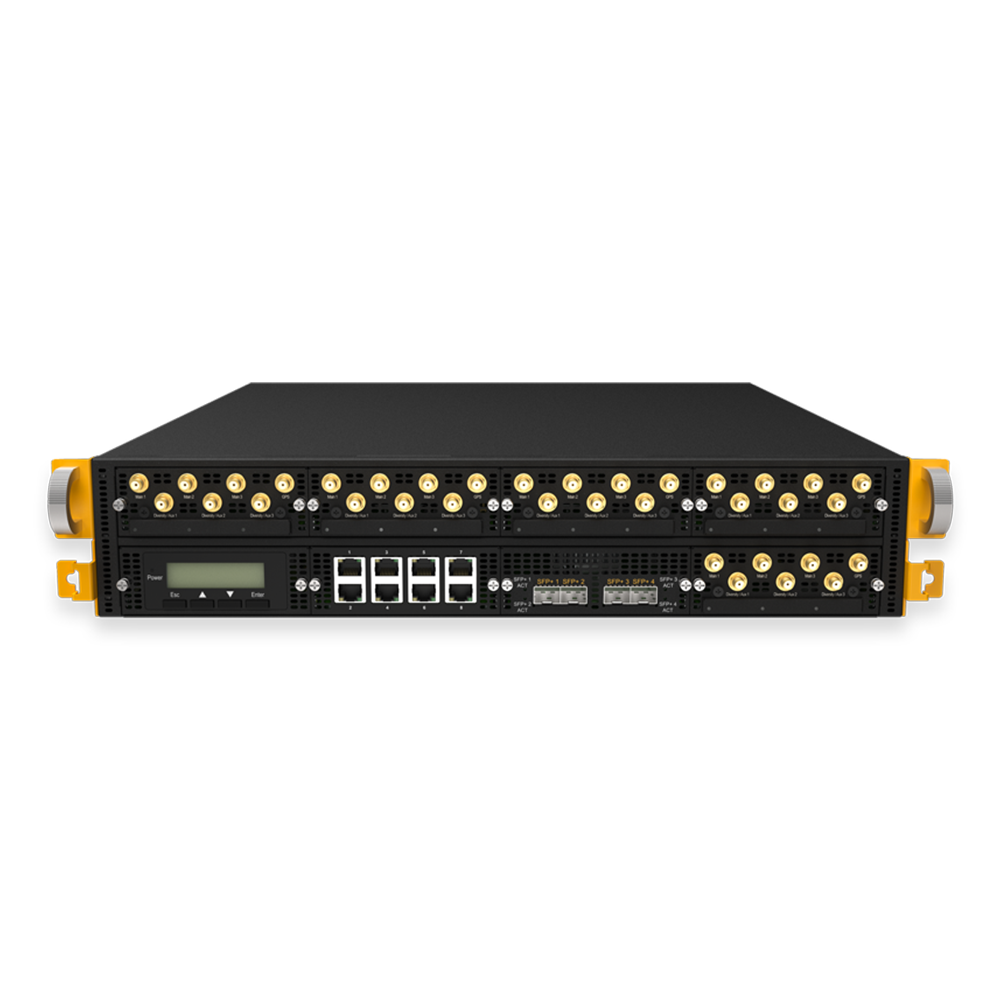
Peplink B One
The entry point for two paths: two Gigabit WAN ports, 1 Gbit/s of routing, 200 Mbit/s of encrypted tunnel throughput. A third path can be added later via Virtual WAN or USB-C.
Further reading
This article was researched and written with AI assistance and reviewed by Ascend's Peplink-certified technicians before publication.
Ready for your next project?
Talk to our team about your requirements.
Related posts
WLAN für Baustellen und Veranstaltungen einfach mieten
Verzögert sich die Lieferung der Internetanbindung oder benötigen Sie nur kurzfristig WLAN für Events oder Baustellen WLAN? Dann einfach WLAN Hotspot mieten von Ascend . _“Auf Dauer ist ein Handy-Hotsp…

Unterbrechungsfreie Public-Safety-Lösungen mit SD-WAN und temporären Internetverbindungen (VPN)
„Spätestens wenn es um Menschenleben geht, sollte die sichere Datenübertragung oberste Priorität haben und an dieser Stelle sollten auch keine Zugeständnisse gemacht werden“, findet Johannes Fickeis, Geschäftsführer d…
Streaming für fernsehtechnische Dienstleister mit SD-WAN Lösungen von ASCEND
Die Live-Berichterstattung befindet sich durch neue Technologien im Umbruch. Durch den Einsatz von Multi-WAN Bonding-Routern ist es möglich, mehrere Netze (DSL, Glasfaser, 4G oder 5G) zu bündeln, damit **Rundfunka…