


Peplink or UniFi as the gateway? Separating the roles cleanly
The question is posed the wrong way round
"Peplink or UniFi?" sounds like a product decision and is in truth a question of roles. The two worlds overlap in one single place — the gateway — and are otherwise complementary.
Peplink is strong where several internet lines are meant to become one resilient connection: bonding, seamless switchover, packet redundancy, prioritisation at the handover point to the internet. That is the core of SpeedFusion and does not exist in this depth in the UniFi portfolio.
UniFi is strong in the network behind it: many ports, clean PoE supply, a well-thought-out wireless system with unified management, inexpensive access points, VLAN separation with a few clicks, and an operating concept that non-specialists can cope with too.
The sensible answer is therefore almost always: both, with a clear division of roles. The Peplink is the router and firewall at the transition to the internet. UniFi supplies the switch, the access points and the management. It only gets interesting at two points — what happens if you additionally install a UniFi gateway, and where the prioritisation belongs.
What the UniFi Dream Machine can do — and what it cannot
The gateway devices from UniFi are good routers. They handle several WAN connections, detect the failure of the primary line and switch over to the second one. For most offices that is perfectly adequate.
The difference lies in what happens during and after this switchover. A failover without a tunnel means: the public address changes, existing connections break off, applications rebuild them. With websites and e-mail nobody notices. With a running video conference every participant sees the drop.
Two capabilities are missing from the UniFi portfolio in this form:
- Bonding several lines into one connection — not distributing sessions, but carrying one single transmission over several paths at the same time.
- Packet redundancy over several lines, that is, sending the same packet in parallel and using the first copy at the receiver. It is exactly this method that makes a transmission immune to short disturbances.
From this follows a simple decision rule: if a running transmission has to survive a line failure, the gateway is a Peplink. If it is enough for the office to be back online after a few seconds, a UniFi gateway can take on the role — and you save yourself a device.
Why a UniFi gateway behind the Peplink does harm
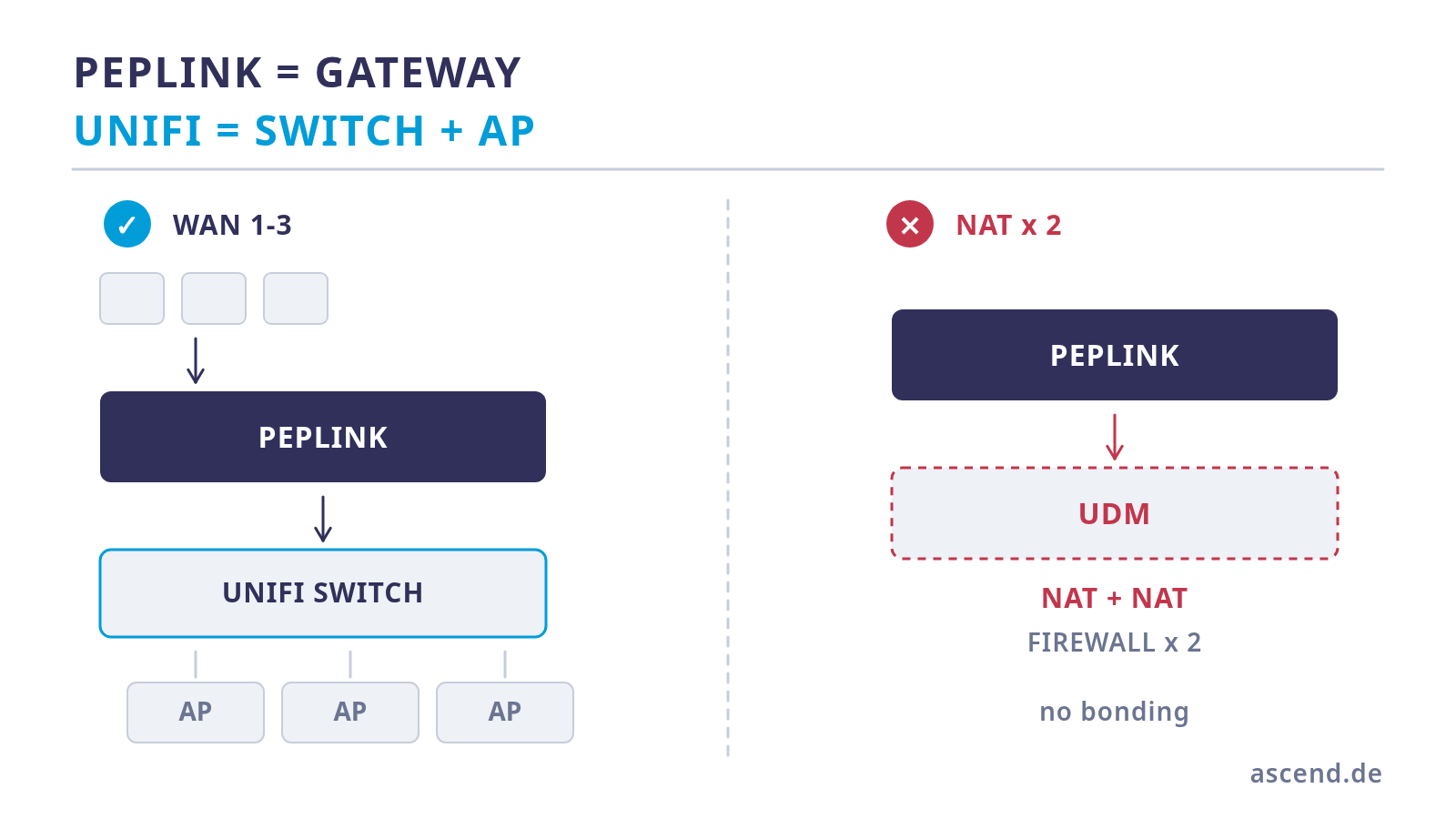
A frequent suggestion is to take the Peplink for the lines and put a Dream Machine behind it "for the UniFi experience". That works and is still not a good idea, because you are running two routers in series.
The consequences are concrete:
- Double address translation. Every packet is rewritten twice. Port forwardings have to be set up in two places, and protocols that carry addresses in the payload need twice the attention.
- Two firewalls. Every rule potentially exists twice, and with every blocked connection attempt troubleshooting starts by asking: which of the two devices was it?
- Two address ranges and two DHCP responsibilities. VLANs have to be kept consistent on both devices.
- No gain. The interesting UniFi functions — management, wireless, VLANs, PoE, statistics — depend on the controller, on the switches and on the access points. They do not need a UniFi gateway.
The cleaner variant is therefore: Peplink as the gateway, UniFi as the switch and wireless layer. The access points are managed through the controller, the VLANs terminate on the Peplink, and there is exactly one place where routing and filtering happen.
There is one exception: if a site operates a UniFi gateway anyway and the Peplink is only meant to protect a single critical application, the Peplink can also be run as a pure tunnel device behind the gateway. That is a deliberate special case — not the standard architecture.
| Task | Peplink | UniFi | |
|---|---|---|---|
| Bonding several internet lines | yes, SpeedFusion | no | |
| Switching over without dropping the session | yes, inside the tunnel | no, sessions break off | |
| Packet redundancy over several paths | yes, WAN Smoothing and FEC | no | |
| Prioritisation at the internet handover | yes, Advanced QoS and traffic rules | Smart Queues on gateway devices | |
| PoE supply for many access points | limited | yes, core competence | |
| Wireless system with unified management | available, smaller portfolio | yes, core competence | |
| VLAN separation in the LAN | yes | yes | |
| Cameras and access control in the same interface | no | yes, dedicated applications |
Where prioritisation really belongs
A widespread fallacy concerns the question of where to give important traffic preference. Intuition says: in the switch, because that is where the cables come together. Physics says something else.
Prioritisation only takes effect at the place where it actually gets tight. With a connection offering 300 Mbit/s upstream and a 24-port switch with Gigabit or 2.5 Gbit ports, the bottleneck is clearly the internet handover, not the local network. A switch serving 24 Gigabit ports never congests with four access points and one workstation.
From this follows: prioritisation belongs on the gateway. There, Peplink offers user groups with bandwidth reservation, limits per device, application-based preference and traffic rules that steer data streams specifically into a tunnel or directly onto a line. That is the layer at which a backup is prevented from crowding out a conference stream.
UniFi switches can certainly prioritise — per port, traffic classes can be recognised, re-marked and assigned to queues; the larger series additionally come with ready-made profiles for audio and video applications. That is useful, but only becomes relevant once a bottleneck arises in the LAN: many cameras and a backup over the same uplink, or a storage system that permanently fills a Gigabit connection. In that case the right answer is usually a faster uplink and a VLAN of its own anyway, not a queue.
The rule of thumb: the Peplink prioritises at the internet handover, and in the LAN you avoid bottlenecks through topology.
The controller: a console on site or hosted
A UniFi network needs a controller. It manages access points and switches, holds the configuration and the statistics and provides the interface. There are three ways to do that.
A console on site — a Cloud Key, for instance. Proven, manageable, costs one rack unit in the cabinet, power and maintenance. Worth knowing: for UniFi Protect, that is, the camera application, such a Ubiquiti console is mandatory according to the manufacturer's specification. Anyone planning cameras needs it in any case — better to plan it in straight away than to touch the setup twice.
Self-operated on a server of your own. Ubiquiti supports this for the network application, but expressly only for that one; Protect, Access and the remaining applications require Ubiquiti hardware. As a permanent solution for a production network this is more for operators who administer servers anyway.
Hosted. We run a UniFi controller in our data centre and adopt devices into it on request — billed per adopted device and month. That saves the purchase, the space in the cabinet, the power consumption and above all the maintenance: we take care of updates and backups of the controller. For a network with a handful of access points and one switch this is the least demanding variant — and it can be moved to a console of your own later when cameras are added.
The decision depends less on the price than on the question of who updates the controller when it matters.
The reference architecture
For a site with several internet lines, wired workstations, wireless and perhaps cameras later on, the following setup has proven itself:
- The lines go to the Peplink. Two wired WAN connections are the rule on the compact models; a third path is added via a built-in mobile modem or via the Virtual WAN function.
- One SpeedFusion tunnel with a counterpart in the data centre. Inside it a sub-tunnel with packet redundancy for the critical traffic, the rest via seamless switchover or directly.
- A PoE switch from UniFi as the only distribution point. It supplies the access points and separates the networks at port level.
- VLANs with a clear purpose: workstations and critical equipment separated from the private or guest network, cameras in a network of their own without internet access, guests isolated.
- Access points on the cables that are already in place. Two devices per floor are a good starting figure for most floor plans; what matters is the placement, not the quantity.
- The controller where it will reliably be kept up to date — on site or hosted.
That gives you exactly one place where routing, filtering and prioritisation happen, and exactly one place where wireless and ports are managed. This separation is the actual reason why the combination of both manufacturers works so well — and why merging both roles into one device is almost always the poorer choice.
Frequently asked questions
Have your architecture reviewed
We define the roles, plan VLANs and access points, configure the gateway and the tunnel before shipping and take over the operation of the controller on request.
The combination in practice
Gateway from Peplink, switch and access points from UniFi — availability and prices are shown on the product detail page.
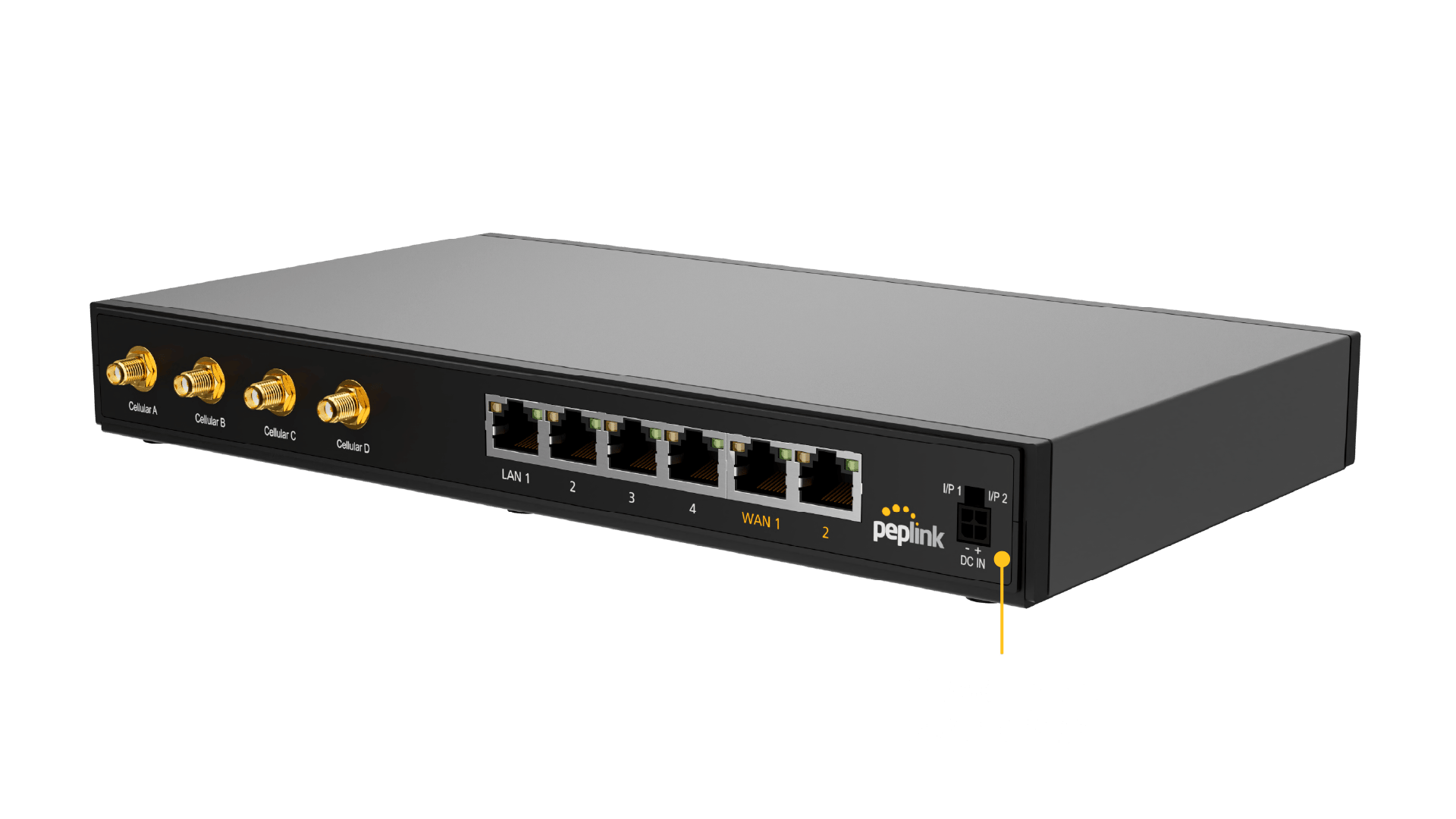
Peplink B One 5G
Gateway and firewall with two Gigabit WAN ports and an integrated 5G modem. With an active PrimeCare it handles bonding, seamless switchover and packet redundancy.
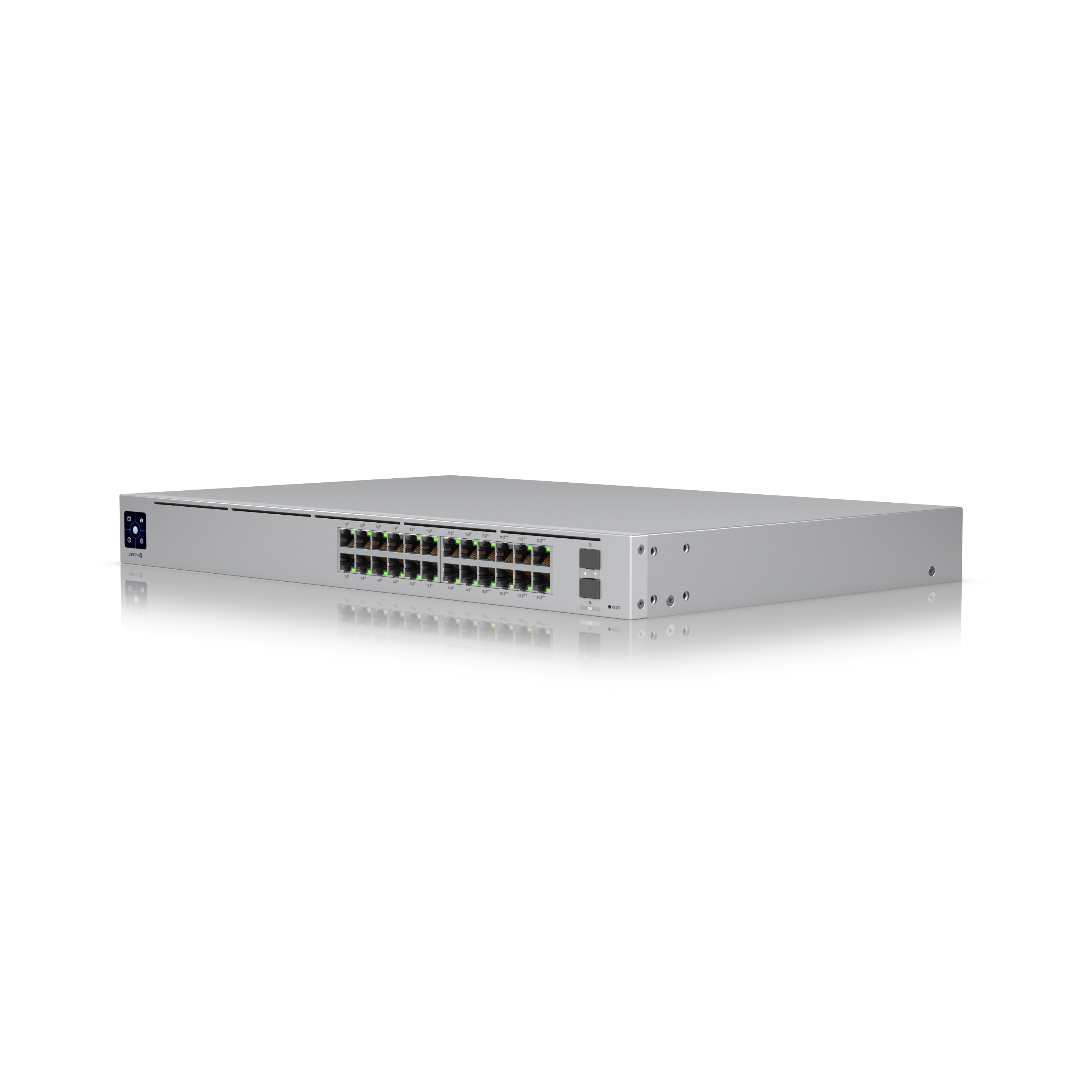
UniFi Switch USW-Pro-24-PoE
24 ports with PoE, eight of them with increased power, a 400 watt PoE budget and two 10 Gbit uplinks. One distribution point for access points, workstations and, later, cameras.

UniFi Access Point U7 Pro
Wi-Fi 7 on three bands including 6 GHz, a 2.5 Gbit connection, powered via PoE+. The 6 GHz band is practically free of radio interference from neighbouring networks.
Further reading
This article was researched and written with AI assistance and reviewed by Ascend's technicians before publication.
Ready for your next project?
Talk to our team about your requirements.
Related posts
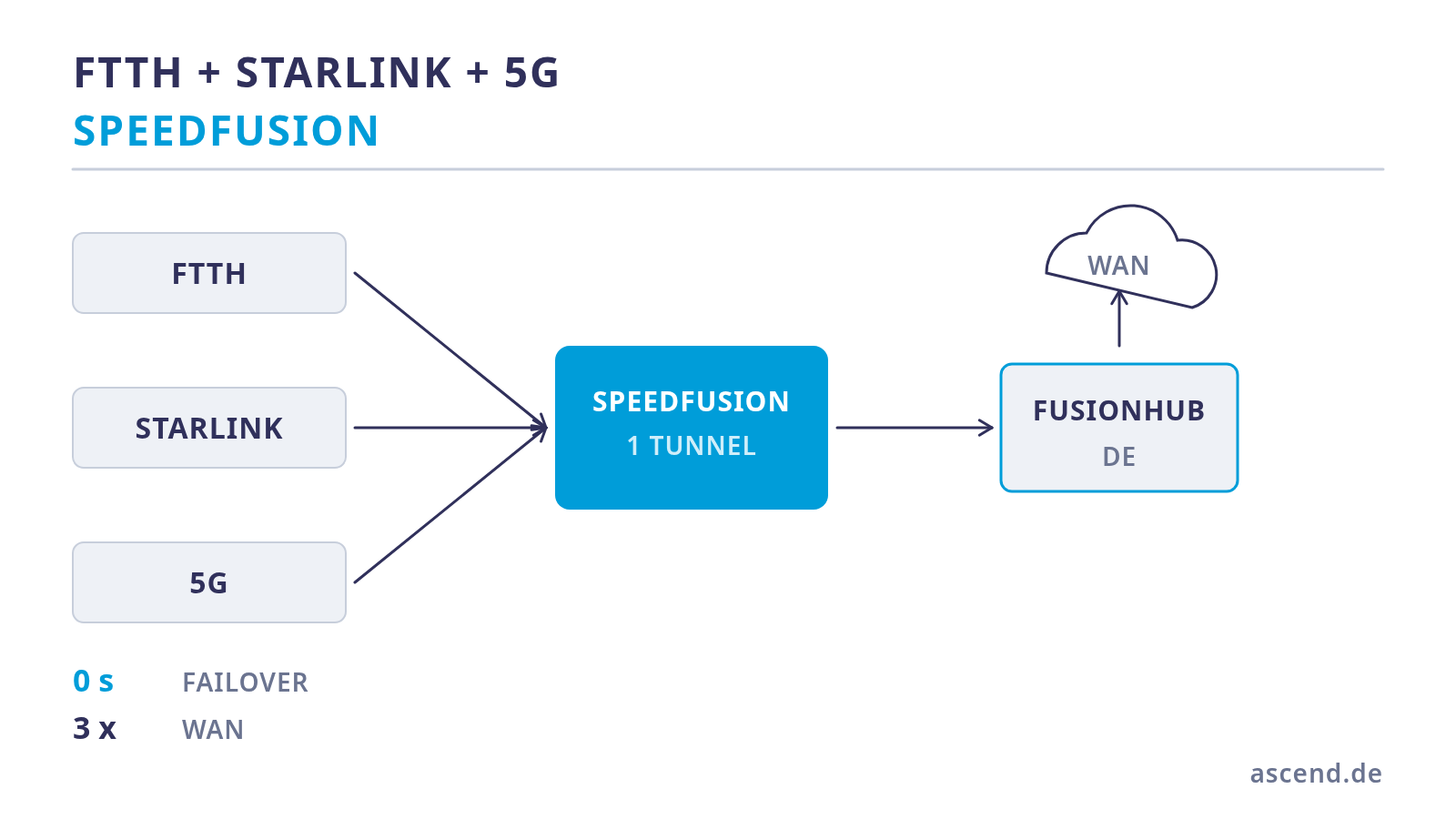
Bonding fibre, Starlink and 5G: three paths for a live studio
Three lines are only redundancy if they fail independently of one another. How to bond fibre, Starlink and 5G in one tunnel, why the number of WAN ports is the first hard limit, which pitfalls Starlink brings with it — and what that means for the power supply.
What SpeedFusion Connect really costs — a data volume calculation
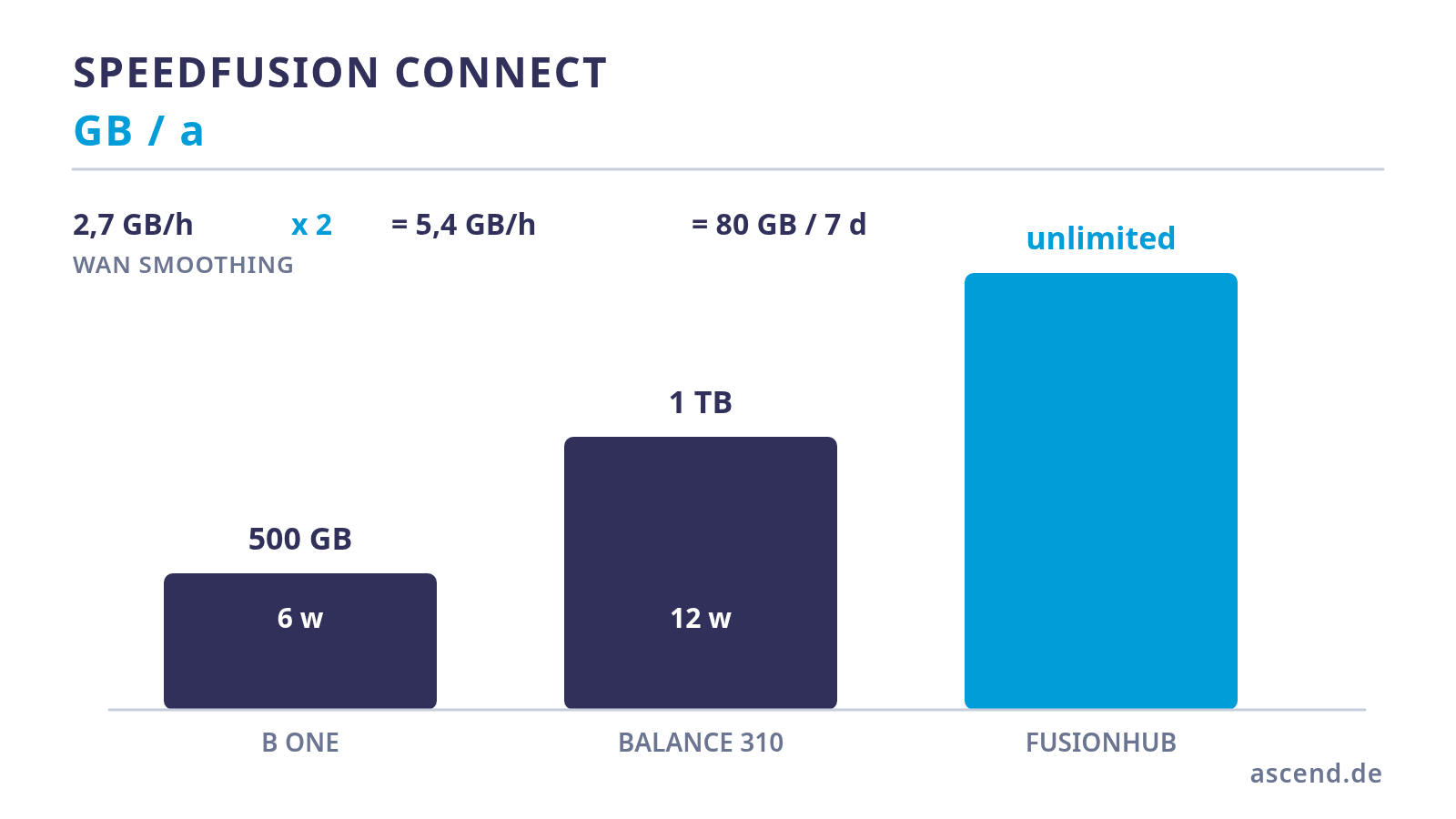
SpeedFusion needs a counterpart, and that counterpart costs data volume. We work out how quickly the 500 GB or 1 TB per year included with the device are used up with WAN Smoothing active, what happens afterwards, and from what point a self-operated FusionHub is the cheaper answer.
Video conference without dropouts: why Hot Failover alone is not enough
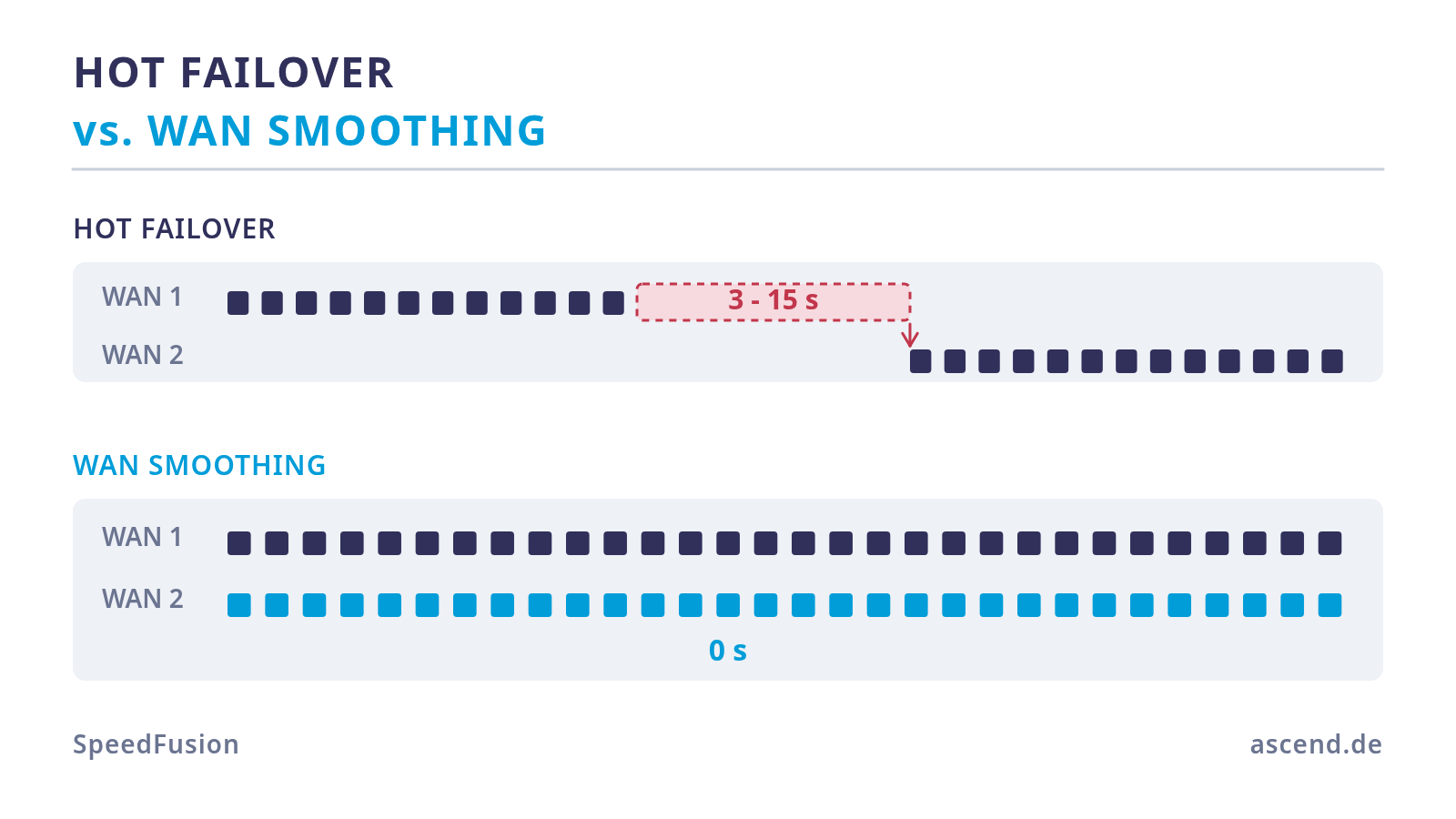
Hot Failover prevents the connection from being dropped, not the dropout: the switchover only starts once line monitoring has detected the failure. WAN Smoothing does not switch over at all — it sends the same packets over several lines. What that costs and how to enable it for the conference machine only.