









Critical communications
Emergency internet: connected when the network fails
If the line fails, mobile networks and Starlink take over. Situation picture, tills and phones keep running.
The principle at a glance
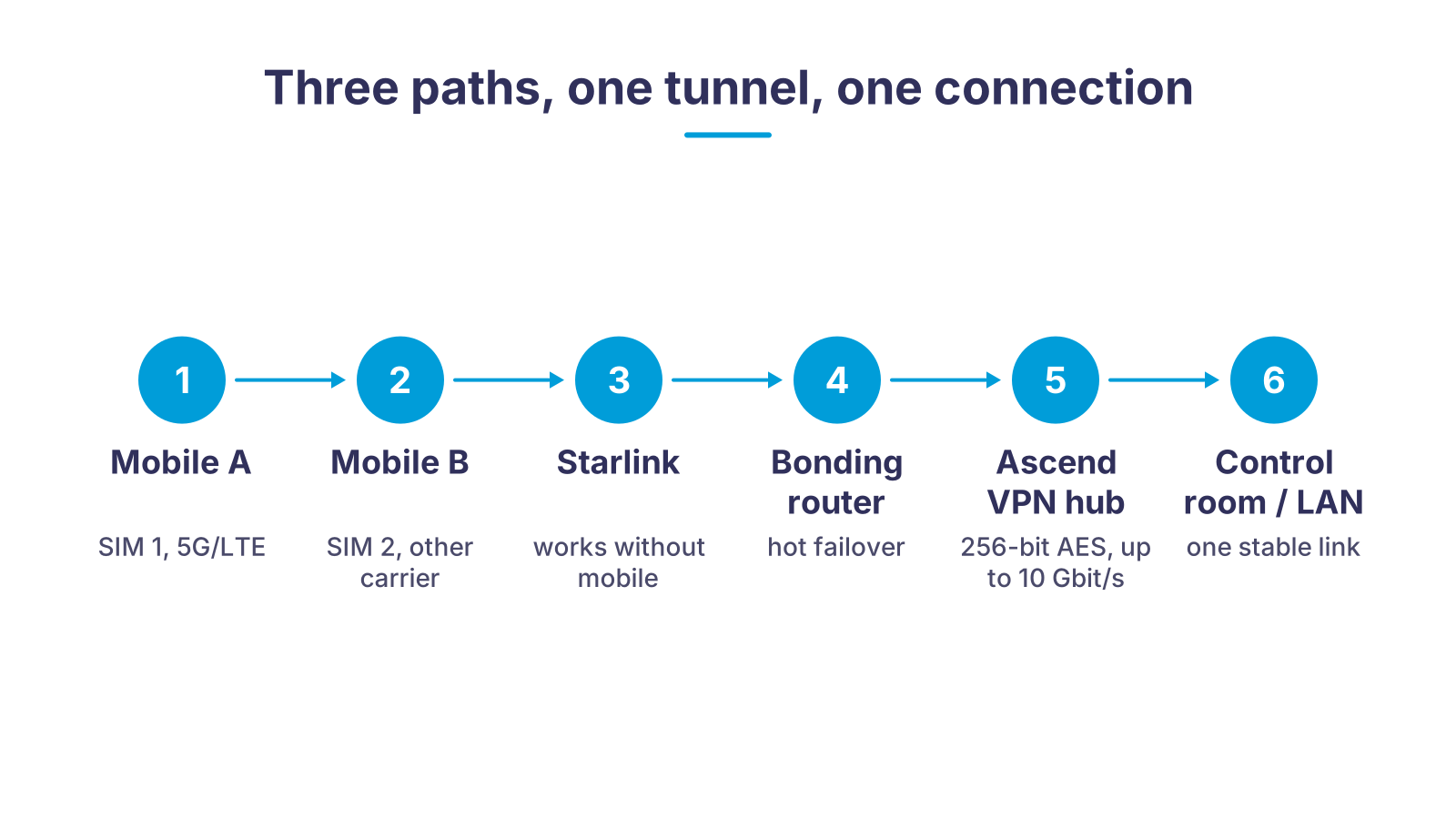
Two SIM cards from different carriers, a Starlink dish and, where available, the fixed line all feed into a bonding router. The router keeps every path open at the same time and sends the traffic, encrypted, to the Ascend VPN hub in the Ascend data centre. If one path fails, the others take over without a video call, a point-of-sale system or patient data dropping out. The control centre, head office or hospital sees a single, stable connection.
What emergency internet has to solve
A single connection is always a single point of failure. Emergency internet removes these five risks from your operations.
Main line failure
No network at the scene
Sensitive data on the move
Minutes instead of weeks
Nobody takes care of it
Too many devices on board
Use cases: who needs emergency internet
Six situations in which a second and third connection makes the difference. Each card leads to the matching detail page.
Mobile or fixed: two form factors, one principle
| In the response vehicle | On site (branch, bank, warehouse) | Temporary (crisis team, field camp) | |
|---|---|---|---|
| Router | Peplink MAX BR1 Pro 5G (10 to 30 V DC) or MAX Transit Pro E (12 to 56 V DC), both with ignition sensing | Peplink Balance 20X with built-in LTE modem alongside the fixed line | Peplink MAX router in a transport case, pre-configured and labelled |
| Connections | Two SIM cards from different carriers, optionally a Starlink Mini on the roof | Fixed line plus LTE/5G, optionally Starlink as a third path | Two mobile networks plus Starlink Standard dish |
| Antenna | 7-in-1 roof antenna (4x cellular, 2x Wi-Fi, GPS), e.g. Peplink Mobility 42G | Outdoor antenna on the facade or window if the signal does not reach inside the building | Magnetic-mount or tripod antenna, Starlink with kickstand |
| Switchover | Hot failover and bonding via SpeedFusion (Peplink), sessions stay up | Automatic switch to mobile data; with SpeedFusion hot failover (PrimeCare) without dropping sessions | Bonding of all paths, load balancing via the Ascend VPN hub |
| Setup | Installed by Ascend or your workshop following our mounting guide | On site or by shipping the pre-configured router, remote commissioning | In minutes by the response team, remote support 24×7 |
How the implementation works
- 1Clarify requirementsWe record the operating area, vehicles or sites, applications (telemetry, video, point of sale, VPN into the company network) and the network coverage on site.
- 2Choose hardware and SIMRouter, antenna, Starlink kit and data plans are matched to the requirements. The Ascend multi-network SIM automatically registers on the strongest network.
- 3Pre-configuration at AscendOur engineers set up SpeedFusion, VPN tunnels to the Ascend hub, firewall rules and InControl 2 monitoring in advance. The device arrives ready for use.
- 4Installation and testMounting in the vehicle or on site, followed by a failover test: we pull each connection one by one and check that the application keeps running.
- 5Operation and supportMonitoring, firmware maintenance and fault handling around the clock (24×7). On request as a managed service with agreed response times (SLA).
In the response vehicle: router, antenna, SIM

Picture a small volunteer fire station on a stormy autumn evening. The village is holding its autumn fair, and the radio room is quiet. The screen on the wall shows the map with the positions of the vehicles.
In an ambulance, command vehicle or equipment vehicle, the connection decides whether telemetry, situation picture and voice reach the control centre. A bonding router such as the Peplink MAX BR1 Pro 5G or the MAX Transit Pro E is permanently installed in the vehicle: 12-volt on-board supply, ignition sensing, a fanless metal housing and an operating range down to minus 40 degrees Celsius. Two SIM cards from different carriers sit in the device, optionally complemented by a Starlink dish on the roof for areas without mobile coverage.
The antenna is the most important single item. A 7-in-1 roof antenna such as the Peplink Mobility 42G combines four cellular paths for 4x4 MIMO, two Wi-Fi paths and GPS in a flat housing and gives far more reserve than stub antennas on the router. The built-in GPS also delivers the position to InControl 2, so the control centre sees every vehicle on the map.
For police, fire brigades and aid organisations it also matters that data does not leave their own network: the SpeedFusion tunnel is encrypted with 256-bit AES and terminates at the Ascend VPN hub or in your own data centre. You can read more about fleet connectivity under Wi-Fi for vehicles.
On site: backup line for retail, banks and logistics
At the fire station in our example, it is a branch that evening. A gust snaps it off, it falls onto the telephone line and tears it from the pole. Nothing else happens, but the fixed line is gone.
For branches, branch offices and warehouses it is rarely about a disaster, but about the Tuesday afternoon when the fixed line fails. Then the till stops, card payments are declined, inventory management reports no stock and the cameras go blind. A router with a built-in LTE modem such as the Peplink Balance 20X sits between the fixed line and the company network and switches to mobile data automatically when the line fails. With SpeedFusion hot failover (requires a valid PrimeCare plan), the point-of-sale system and VoIP phones even keep their session.
Banks and insurers need the same mechanism with higher confidentiality requirements: the backup path runs through the same encrypted tunnel as the main line, and address ranges and firewall rules stay identical. When a branch office moves or is renovated, the mobile router bridges the weeks until the new line is ready, without interrupting customer service.
In logistics, handheld scanners, conveyor systems and route planning depend on the distribution centre's line. Where fibre is missing, for example at transshipment sites or loading docks on the edge of town, we combine mobile and Starlink into a permanent connection. How to bring several sites into one shared network is shown on the page Location networking.

Inside, only the router notices

Inside, the screen in the radio room goes dark and the map is gone. On the shelf below it, the lights on the router change colour: it has noticed that nothing is coming in over the line any more and switches to the mobile network on its own. A moment later the map is back. Nobody has to replug anything or call anyone.
The technology behind it in two sentences
A bonding router keeps several internet paths open at the same time and distributes the traffic so that the failure of one path stays invisible to the application; the counterpart is the Ascend VPN hub, which reassembles the bonded connection. The basics of hot and cold failover are explained on our internet outage page, and how bonded lines become a virtual leased line is covered there as well.
What Ascend takes care of for your emergency internet
Ascend is an IT systems house from Nuremberg, founded in 2010 and specialised for more than 15 years in site networking and mobile connectivity. As a Peplink Certified Gold Partner we supply routers, antennas, Starlink kits and the matching multi-network SIM from one house, configure everything in advance and, on request, install it in the vehicle or on site.
The counterpart of every installation is our data centre: redundant VPN connections with a total bandwidth of up to 10 Gbit/s that adapt to the customer's IP address range, not the other way round. We also use it to provide mobile, virtual leased lines that make running a server in the field possible. All solutions are modular, can be combined and are operated on request as a managed service with agreed response times (SLA).
The experience comes from the events business, where the highest demands are placed on temporary internet connections in the shortest possible time. The same cases, the same engineers and the same round-the-clock support (24×7) are available to you in an emergency. What this looks like for emergency services in practice is described in our article on public safety solutions with SD-WAN.
Two carriers are a must, and so is a failover test
A second SIM from the same carrier is not a backup: if its network or the cell at the scene fails, both cards are offline. Always plan two different networks and, where lives or payments depend on it, Starlink as a third path. And test the failover regularly by disconnecting each connection individually. A switchover that has never been rehearsed rarely works in a real emergency.
Matching hardware in the Ascend shop
Router, antenna and satellite kit for mobile and stationary emergency internet. You can see availability and prices on each product page.

Peplink MAX BR1 Pro 5G
Compact 5G router for vehicle installation: redundant SIM slots, SpeedFusion hot failover and bonding, Wi-Fi 6, GPS, 10 to 30 V DC, minus 40 to 65 degrees Celsius (Peplink datasheet).
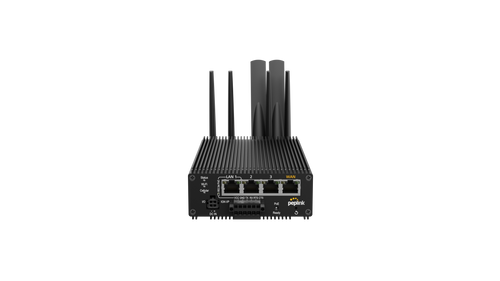
Peplink MAX Transit Pro E
Rugged 5G router for fleets and response teams: ignition sensing, GPS with dead reckoning, 4x Gigabit Ethernet with PoE output, SpeedFusion up to 400 Mbit/s, minus 40 to 70 degrees Celsius (Peplink datasheet).

Teltonika RUTX50
Industrial 5G router with dual-SIM failover (without SpeedFusion): on a network fault it switches to the second SIM, and running sessions are re-established. The choice where cold failover is enough; 5x Gigabit Ethernet, dual-band Wi-Fi 5, 9 to 50 V DC, minus 40 to 75 degrees Celsius (Teltonika datasheet).
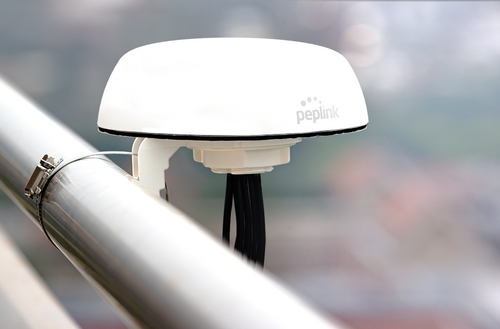
Peplink Mobility 42G roof antenna
7-in-1 roof antenna for vehicles: four cellular paths for 4x4 MIMO and 5G, two Wi-Fi paths and GPS in a flat housing (Peplink product page).
- Starlink Standard Kit V4
Starlink Standard Kit V4
Satellite dish with kickstand and Wi-Fi router for sites and field camps without mobile coverage; as a third path in the bonding router (Starlink product page).
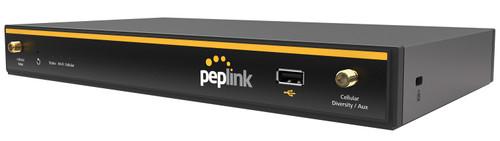
Peplink Balance 20X
Branch router for branches and branch offices: 1x Gigabit WAN, 4x LAN, built-in CAT 4 LTE modem as backup, SpeedFusion hot failover with PrimeCare, recommended for 1 to 60 users (Peplink datasheet; delivery time on request).
Voices from practice
Integrating the Peplink devices and the bonded bandwidth, combined with the transmission systems already in place, gives us maximum resilience when sending live footage.
Frequently asked questions about emergency internet
Further links
The map is back, and so is the coffee
And the fire station in our example? The map is back on the screen, someone hands round coffee, and the evening carries on calmly. The network operator takes care of the torn line the next morning.
The fire station is only an example. The technology behind it is the same in a control centre, a branch or a warehouse: several independent paths and a router that switches over on its own. We will gladly work out with you what that looks like at your site.

Plan your emergency internet now
Tell us which vehicles or sites should be protected and which applications depend on them. We will get back to you with a concrete proposal covering router, antenna, SIM and support.
We look forward to hearing from you!
Tell us your vehicles or sites, operating area and applications. We will get back to you shortly with a personal consultation.