








Line bonding basics
Virtual Leased Line: Several Connections, One Fixed Link
A virtual leased line is created when a router on site bonds mobile, DSL, cable or Starlink packet by packet and a hub in the data center turns them into a single connection with a fixed IP. If one line fails, the session carries on over the others. Ascend has been planning, supplying and supporting this solution since 2010, with round-the-clock support.
The principle at a glance
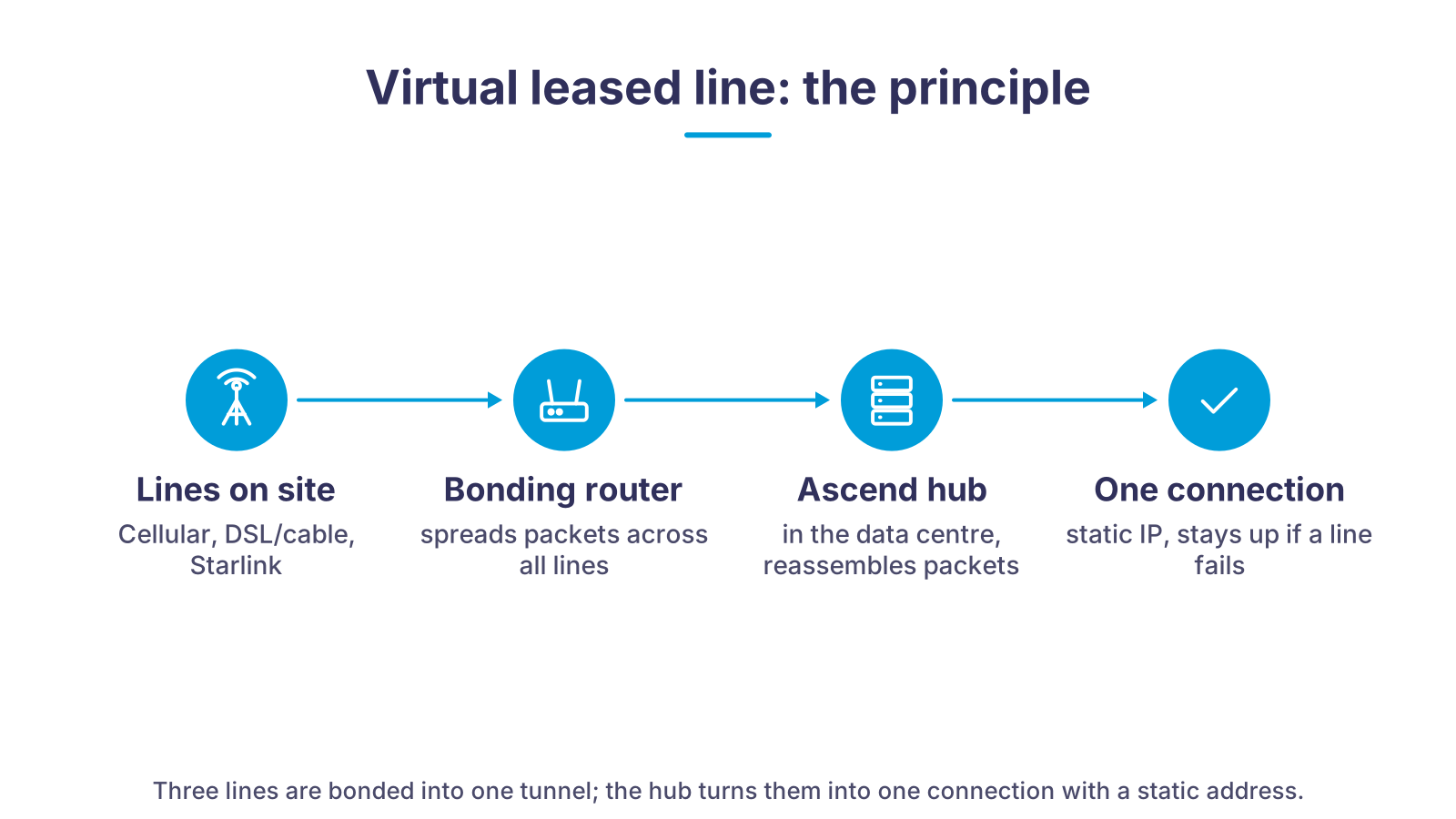
On the left, the lines that are available on site anyway: one or more mobile networks, DSL or cable, and Starlink if needed. In the middle, the bonding router, which spreads every data stream packet by packet across all active lines. On the right, the hub in the data center, which reassembles the packets in the right order and passes them on as one connection with a fixed IP address. To your applications the result looks like a single connection, except that no individual line can pull the plug on it any more.
What a virtual leased line solves
A single connection always has the same weaknesses. Bonding several lines removes them without waiting for fiber to be rolled out.
No more total outages
More bandwidth than the best single line
The session survives a switchover
Fixed IP without a fiber connection
Available as soon as router and SIM arrive
Supported around the clock
Virtual leased line, true leased line and fiber compared
| Virtual leased line (bonding) | True leased line (carrier) | Fiber connection | |
|---|---|---|---|
| Provisioning | As soon as router, SIM cards and hub are set up; no line construction needed. | The carrier builds or activates a dedicated line; the lead time depends on the site. | Only where fiber is already in the ground; long waits and high connection costs in rural areas. |
| Basis | Several independent lines: mobile, DSL, cable, Starlink, radio link. | One dedicated line between two points. | One line from one provider. |
| Resilience | Each line is its own path; a failure costs bandwidth, not the connection. | High, but a single path: roadworks or a fault at the carrier affect everything. | A single path; redundancy only with a second connection or mobile backup. |
| Bandwidth | Sum of the lines minus tunnel overhead, limited by the router. | A contractually fixed, symmetric rate. | High, often asymmetric, depending on the plan. |
| Fixed IP | Yes, via your own hub in the data center with a static IPv4. | Yes, part of the product. | Depends on the plan; often not included in consumer plans. |
| Cost model | Router one-off, lines and hub monthly; the lines are standard plans. | Monthly flat fee from the carrier, usually with a long contract term. | Connection fee plus monthly plan. |
| Relocation | Router and SIM cards move with you, the hub stays; the fixed IP is retained. | A new line is needed at the new site. | A new connection is needed at the new site. |
How your virtual leased line comes about
- 1Clarify requirementsWe ask what needs to run over the connection: video conferencing, cloud, telephony, cameras, point-of-sale systems. That determines how much bandwidth you need and whether a fixed IP is required.
- 2Survey the lines on siteWhich mobile networks reach the site, which fixed-line connections are available, does Starlink make sense? We recommend the combination, not the most expensive single line.
- 3Preconfigure router and SIM cardsOur technicians set up the bonding router with a SpeedFusion profile, SIM cards and VLANs in advance. On site it is simply: plug in, done.
- 4Set up the hub in the data centerThe tunnel terminates on the Ascend hub in a data center in Germany, with your own static IPv4 address and port forwarding if you wish.
- 5Operation and supportWe monitor lines and tunnel, replace SIM cards or hardware when needed, and are reachable around the clock.
What a virtual leased line is
A classic leased line is a dedicated carrier line between your site and a fixed point in the network: guaranteed bandwidth, a fixed IP address, one contract, one path. That single path is exactly its weakness. A digger, a fault in the carrier network or a problem in the building connection, and the site is offline.
A virtual leased line builds the same property, a reliable connection with a fixed address, out of several independent lines. The router on site splits the data stream into packets and spreads them across all lines at the same time. At the other end, on the hub in the data center, the packets are reassembled in the right order. An encrypted tunnel runs between router and hub; for everything behind it, the connection is a single access with one public IP address.
That is what sets bonding apart from simple failover and from load balancing. Failover only switches over once a line is dead and only ever uses one. Load balancing distributes individual sessions across different lines, but cannot speed up a single transfer and loses the session when the line changes. Bonding uses all lines for every transfer and keeps the session, because the tunnel to the hub stays up even when a line underneath drops out.
Many people do not know that lines can be bonded this way. Yet the technology is proven: the German broadcaster MDR, for example, uses Peplink routers to bond all available bandwidth for outside broadcasts. The same principle suits branch offices, construction sites or rural practices. Manufacturers call it bonding or SpeedFusion; for you the result is a leased line that does not hang on a single line.
Which lines can be bonded
Bonding is technology-independent. Anything that delivers an IP connection on site can be one path in the bundle:
- Mobile (LTE and 5G): flexible and available almost everywhere. Routers with several modems such as the Peplink MAX HD4 MBX 5G use up to four mobile networks at once; with several SIM cards from different providers, a coverage gap in one network no longer means an outage.
- xDSL and cable: inexpensive, usually already in place and with stable bandwidth. As part of the bundle they provide the base load while mobile absorbs the peaks.
- Starlink: for hard-to-reach regions, construction sites and locations without usable fixed-line service. The satellite link delivers plenty of bandwidth but fluctuates with weather and load; in a bundle the other lines compensate. More on this on our page about Starlink.
- Radio link and fiber: welcome where available. A fiber line in the bundle is not a contradiction but the fastest line with a safety net underneath.
How many lines a router can take depends on the model. A Peplink Balance 20X bonds one fixed-line connection with its built-in LTE modem and suits small sites. The Balance 310X 5G combines fiber or Ethernet, a 5G modem with redundant SIM slots and USB WAN. The Balance SDX Pro bonds up to eight mobile connections alongside 10-gigabit ports in data center or campus use. Which combination makes sense for your site, we calculate in advance rather than promise a figure: the sum of the lines does not arrive one to one because of tunnel overhead and the router's SpeedFusion capacity, but it is clearly more than the fastest single line.
Why the hub is what makes it a leased line
A multi-WAN router on its own can only switch lines or distribute sessions. It can only bond once someone at the other end reassembles the packets. That counterpart is the hub. It sits in a data center with redundant fiber connectivity, not at your site, and is operated by Ascend.
The hub is also the reason the connection has a fixed IP address. Your mobile or DSL lines get changing, often private addresses from the provider. The public address of your virtual leased line, by contrast, sits on the hub and does not change, no matter which line is carrying the traffic. That makes cameras, a server, a phone system or a VPN access reachable from outside, as if the site were on a carrier leased line.
For Peplink routers with SpeedFusion we operate a shared hub, where you pay per active tunnel, or your own hub with a static IPv4 address and port forwarding. For Viprinet routers we provide a Viprinet hub, for Teltonika routers a Bondix hub. You will find details, prices and the choice between shared hub and your own hub on our page about VPN hub hosting. How packet-by-packet bonding works in detail is shown on the page about multi-WAN bonding with Viprinet.
Who benefits from a virtual leased line and what Ascend delivers
Typical use cases: a branch in a rural area where only narrow DSL is available and the till still has to work. A construction site or outdoor depot that needs internet for two years but cannot get a line. A doctor's practice or care service whose telematics and telephony must not fail. An outside-broadcast van sending live pictures over whatever is currently transmitting; this is how MDR uses bonding for outside broadcasts. And, quite generally, any site waiting for a fiber connection that does not want to stay offline in the meantime. You can find more basics on disruptions and protection on our page about internet outages.
Ascend has been an IT systems house in Nuremberg since 2010 and builds such connections from a single source: we choose router and lines to suit the site, supply the matching SIM cards, preconfigure SpeedFusion, VLANs and firewall, and operate the hub in the data center. After commissioning we monitor lines and tunnel and are reachable around the clock. If you only need the connection for a transitional period, you will also find Peplink routers as rental devices in the Ascend Shop. You can order hardware and plans directly in the Ascend Shop; we take care of the planning.
Bonding is not failover: two things to know beforehand
First: failover makes a site more resilient, not faster. If you need more bandwidth than the best single line delivers, you need true bonding with a hub. Second: bonding does not reduce base latency, which is determined by the physical path. It prevents congestion, because no single line has to carry everything any more. If lines with very different transit times are bonded, such as Starlink and DSL, reassembling the packets can increase jitter. For telephony and video conferencing we therefore deliberately tune the choice of lines.
Matching hardware in the Ascend Shop
Bonding routers for small to large sites and the counterpart in the data center. Prices and availability are shown on each shop page.
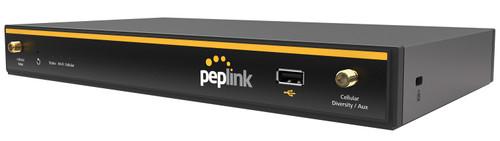
Peplink Balance 20X
Entry model for small sites: Gigabit WAN plus built-in LTE modem, SpeedFusion bonding up to 100 Mbps, recommended for 1 to 60 users.
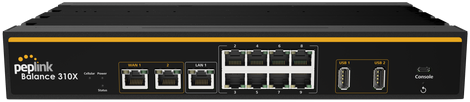
Peplink Balance 310X 5G
Fiber or Ethernet plus 5G modem with redundant SIM slots, SpeedFusion up to 600 Mbps, recommended for 50 to 500 users.
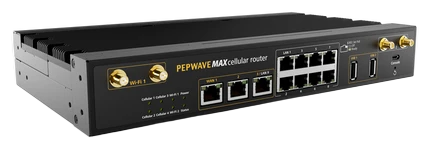
Peplink MAX HD4 MBX 5G
Four 5G modems in one device, up to 16 mobile carriers with a SIM Injector, 2.5 Gbps router throughput, fanless from -40 to 65 °C.
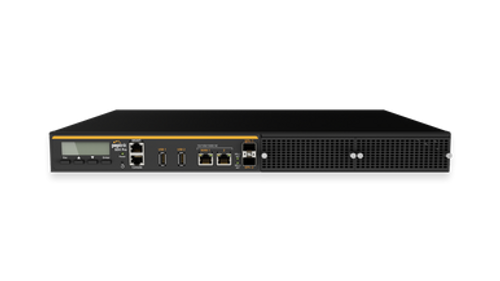
Peplink Balance SDX Pro
Modular SD-WAN router in a 1U rack: 24 Gbps throughput, 2x 10G SFP+, up to eight mobile connections, 500 to 2000 users.
- Peplink FusionHub 100
Peplink FusionHub 100
Virtual SpeedFusion counterpart to run on your own VM or in the cloud if you want to host the hub yourself.
- Ascend Bonding Hub (shared hub)
Ascend Bonding Hub (shared hub)
Hosted counterpart in the German data center, billed per active tunnel per month, unlimited data volume (fair use).
What MDR says
Combined with the transmission systems already in place, the integration of the Peplink devices and the bonded bandwidth delivers a maximum of resilience when transmitting live recordings.
Frequently asked questions about the virtual leased line
Further reading
Ready for a connection that holds?
Tell us which lines are available at your site and what needs to run over them. We recommend router, lines and hub and give you the price.
We look forward to hearing from you!
Tell us your site, available lines and applications. We will get back to you shortly with personal advice.